Projects / Software · Shipped
Tekmetric MCP
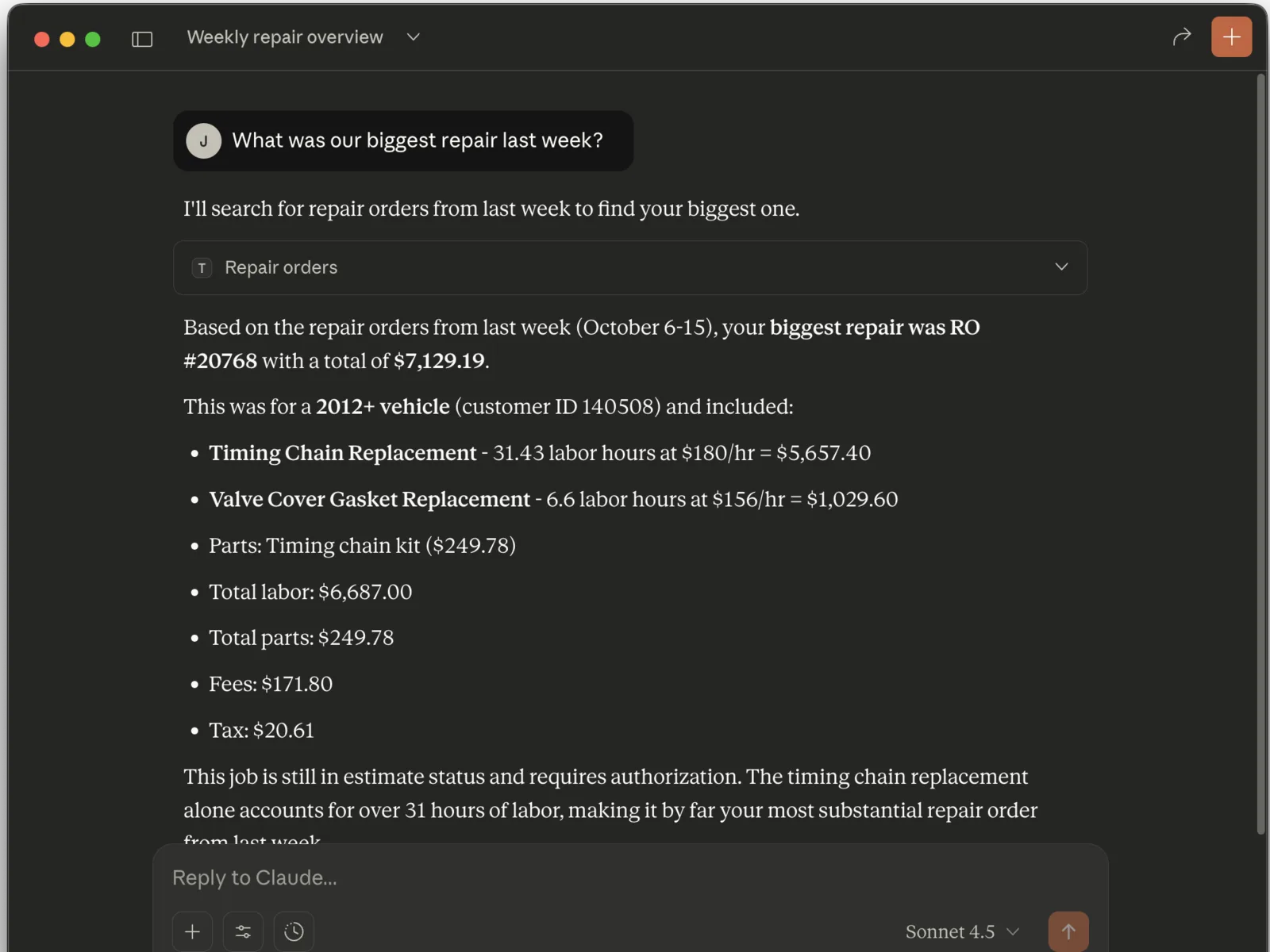
Ask Claude about your auto repair shop's Tekmetric data in plain English.
- Language
- Go
- Access
- Read-only
- Auth
- OAuth 2.0
- License
- MIT
Overview
Tekmetric is shop management software for auto repair shops. This server connects it to Claude through the Model Context Protocol. You ask a question, Claude picks the right tool, and the server gets the answer from the Tekmetric API.
It is made for day-to-day questions: who is on the schedule today, which repair orders are in progress, or what a vehicle has had done. Each query returns at most 25 records. Use the Tekmetric reports for accounting and large exports.
The server only reads data. It cannot change anything in Tekmetric. Your API credentials stay on your computer.
Independent project. Tekmetric, Inc. does not make, endorse, or support this tool.
Set it up
1. Request API access at api.tekmetric.com. Tekmetric sends you a client ID and a client secret.
2. Download the .mcpb file from the latest release and open it with Claude Desktop.
3. Enter your client ID and client secret when Claude Desktop asks for them.
To set it up by hand, add the binary to claude_desktop_config.json with serve as its argument, and set TEKMETRIC_CLIENT_ID and TEKMETRIC_CLIENT_SECRET. The documentation has the full example.
Things to ask
Show me today's appointments
What repair orders are in progress?
Look up VIN 1HGBH41JXMN109186
Show me estimates from last week
Analyze the service history for vehicle 12345