BoxedIn icon

Hyprland-style tiling
for macOS

BoxedIn tiles your windows with the dwindle layout, switches workspaces instantly, and uses Omarchy's key bindings by default. You configure it in Tcl, and it can read your hyprland.conf.

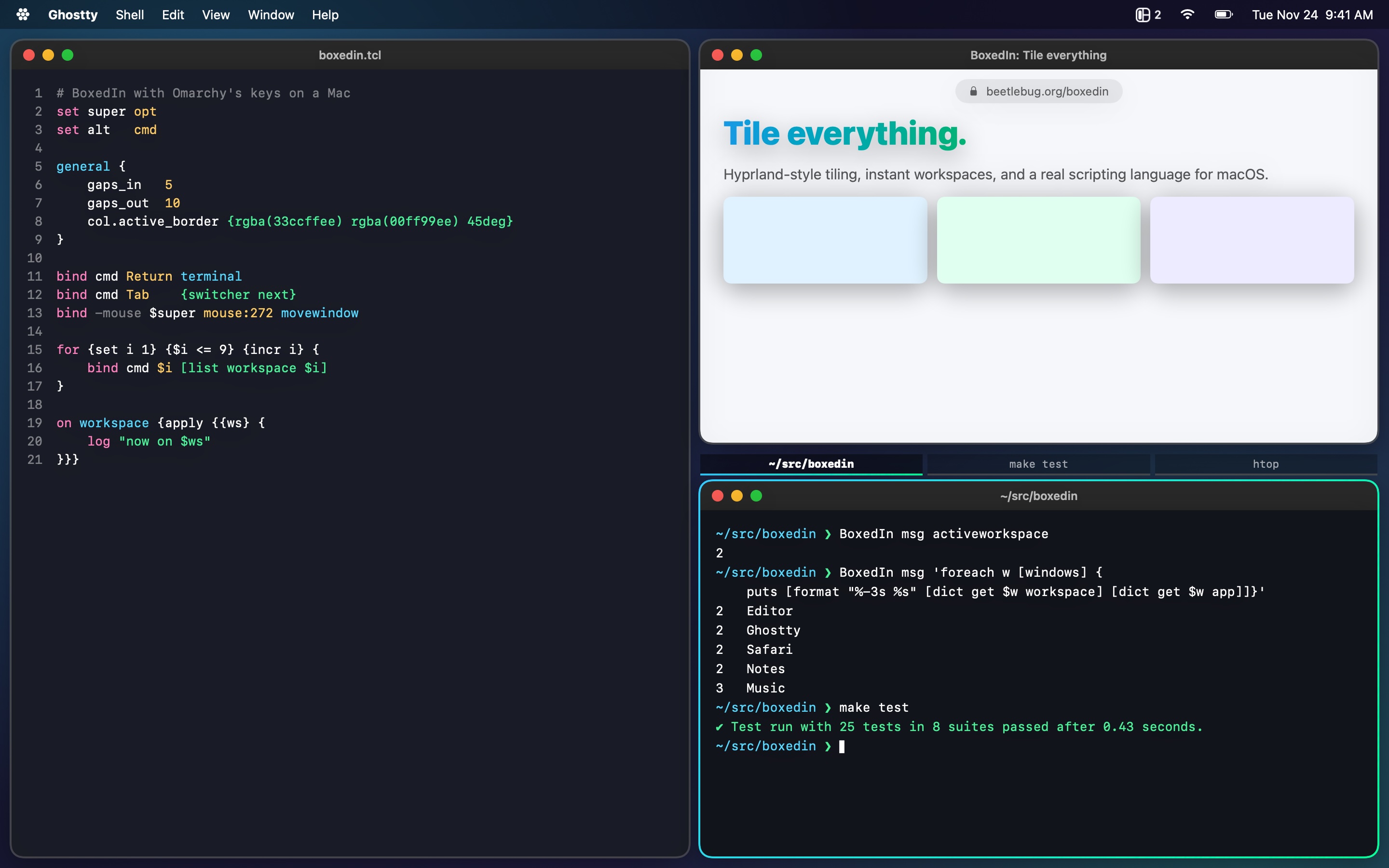
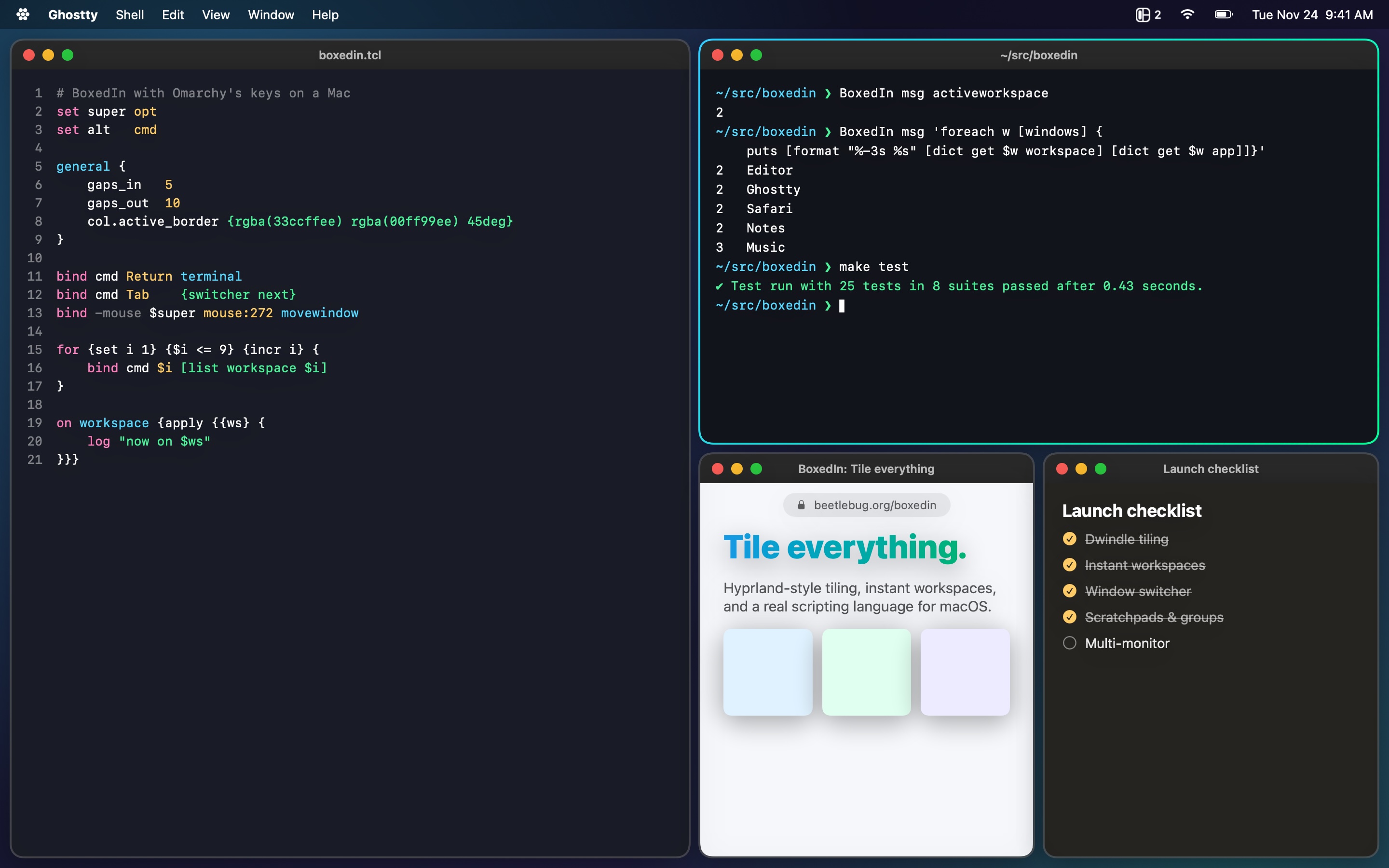
Four windows tiled by BoxedIn: an editor, a terminal, a browser, and notes. The terminal has a cyan-to-green border.

What it does

BoxedIn is a key binding manager, a workspace manager, and a tiling window manager in one menu bar app.

A window switcher for windows

Hold ⌘ and press ⇥ to cycle through every window in most-recently-used order, across all workspaces. Each window has its own icon and a badge with its workspace number.

A quick ⌘⇥ goes straight back to the previous window. Releasing ⌘ switches, and if the window is on another workspace, BoxedIn goes there.
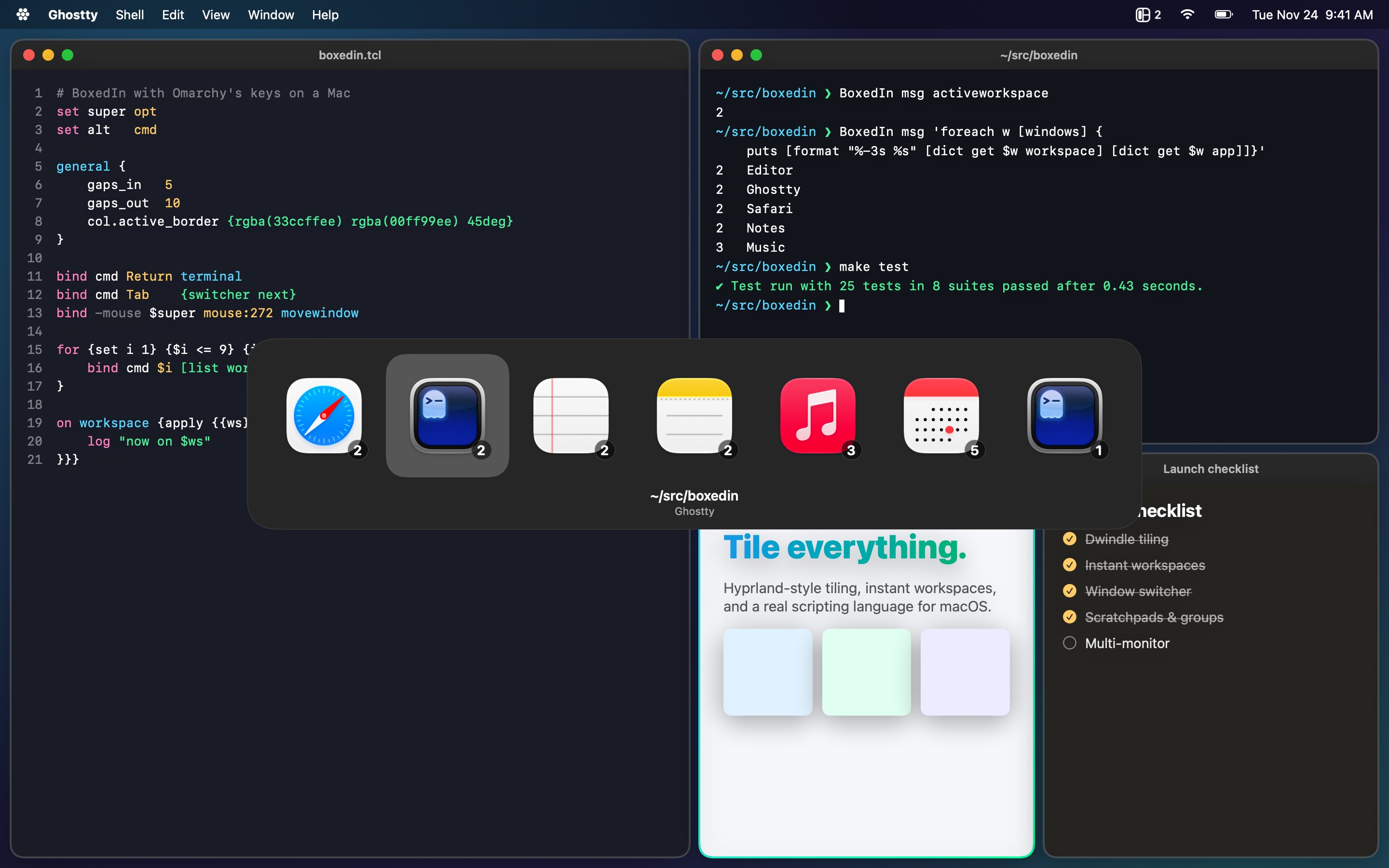
The window switcher: a row of app icons with workspace badges over tiled windows.

All your desktops at once

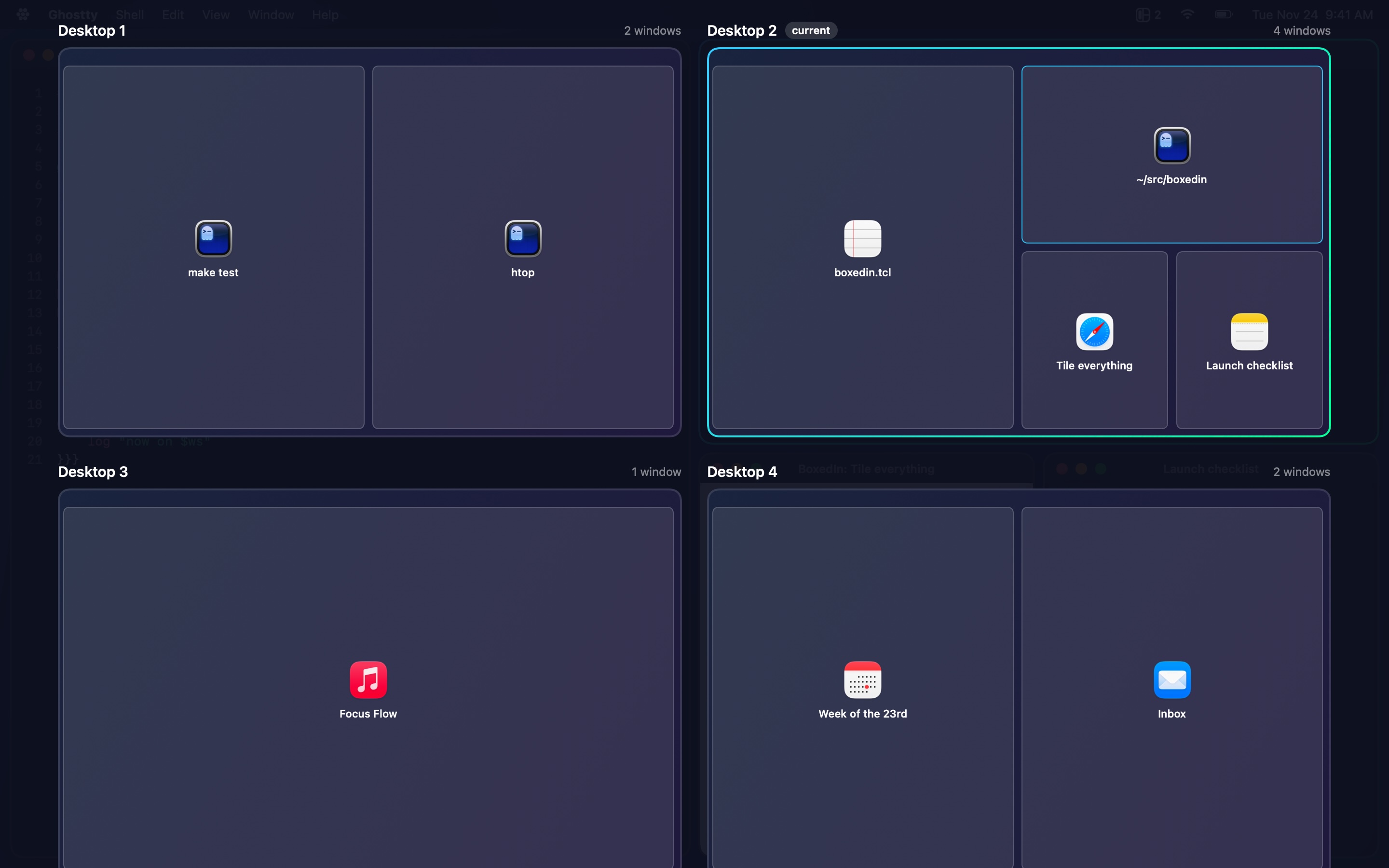
Press F5 to see every desktop with its windows in place. Drag a window to another desktop to move it, and click a desktop to go there.

BoxedIn workspaces are your macOS desktops, so ⌃←, ⌃→, and Mission Control work as they always do.

The workspace overview: each workspace as a small screen with app icons where the windows are.

Scratchpads

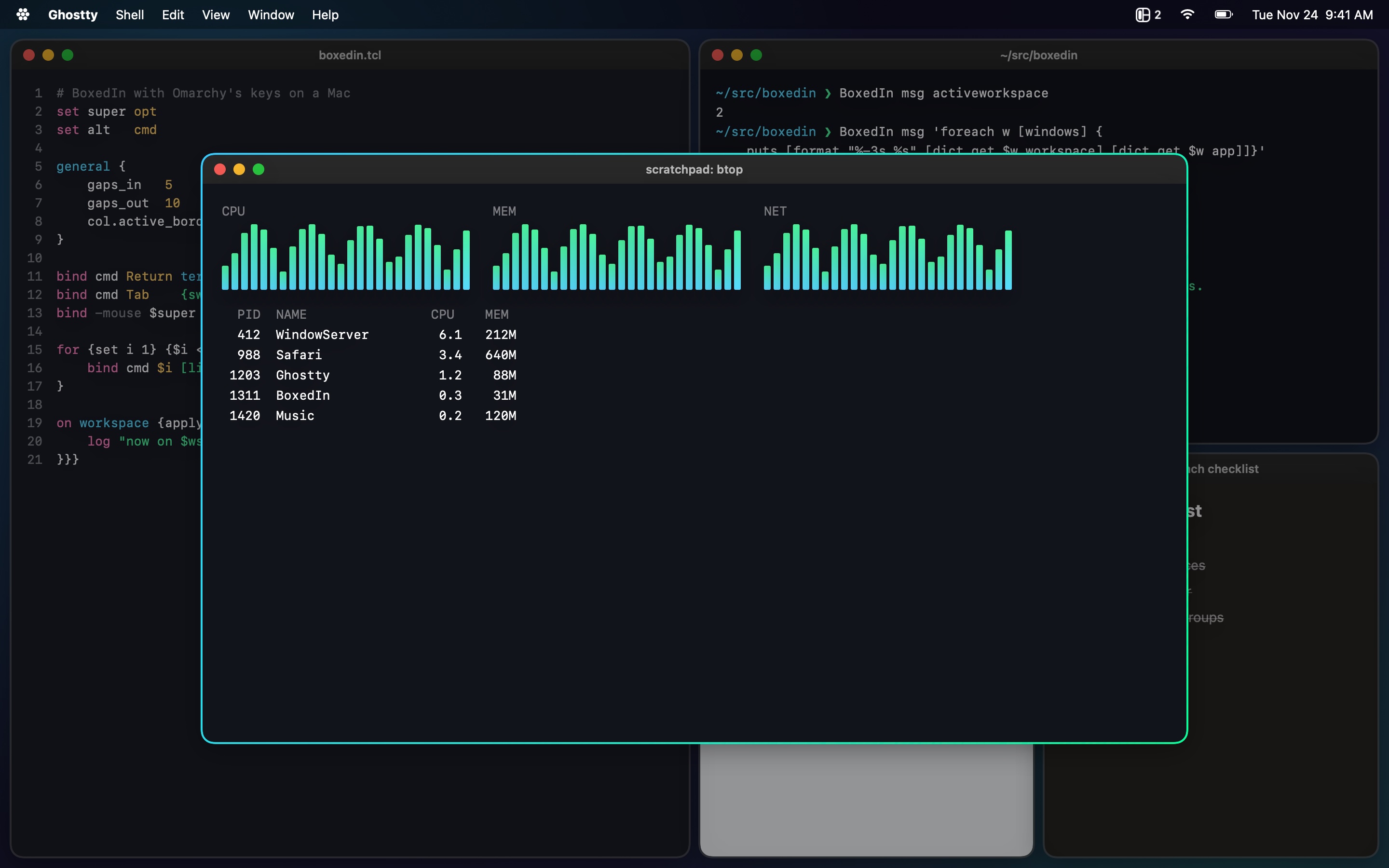
A scratchpad is a workspace that opens over the current one. ⌥S shows or hides it, and ⌥⌘S sends the focused window there. Name as many as you want, such as a console on ⌥`.

A scratchpad window with a system monitor floats over dimmed tiled windows.

Groups

Put several windows in one tile, with a tab bar on top. ⌥G starts a group, ⌥⌘ + arrow moves a window into the group next to it, and a click on a tab shows that window.

A tile with a tab bar for three terminal windows.

Every binding on one sheet

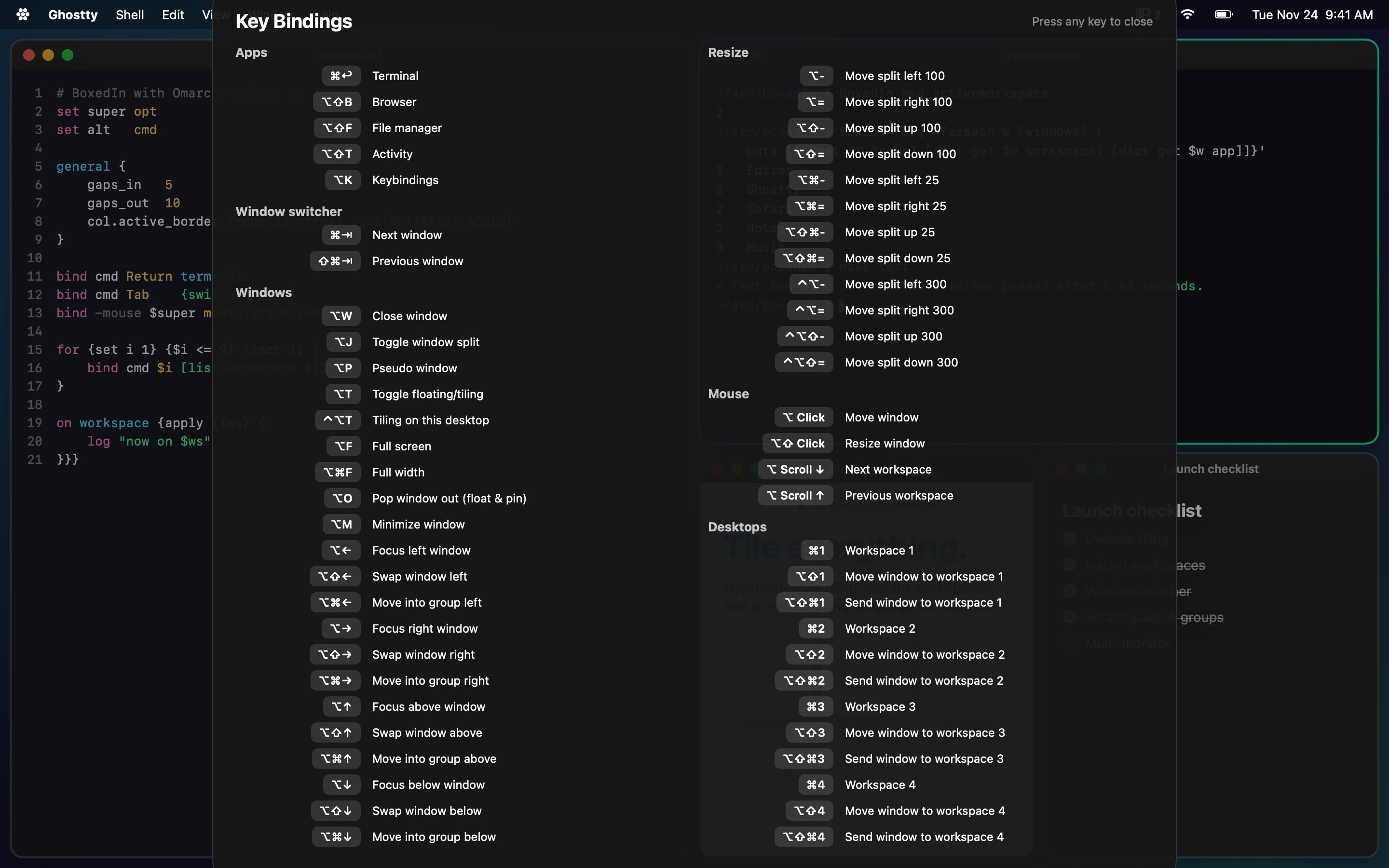
⌥K shows every key binding that has a description, in Mac symbols. Press any key to close it.

A sheet that lists key bindings in two columns.

Settings for the common things

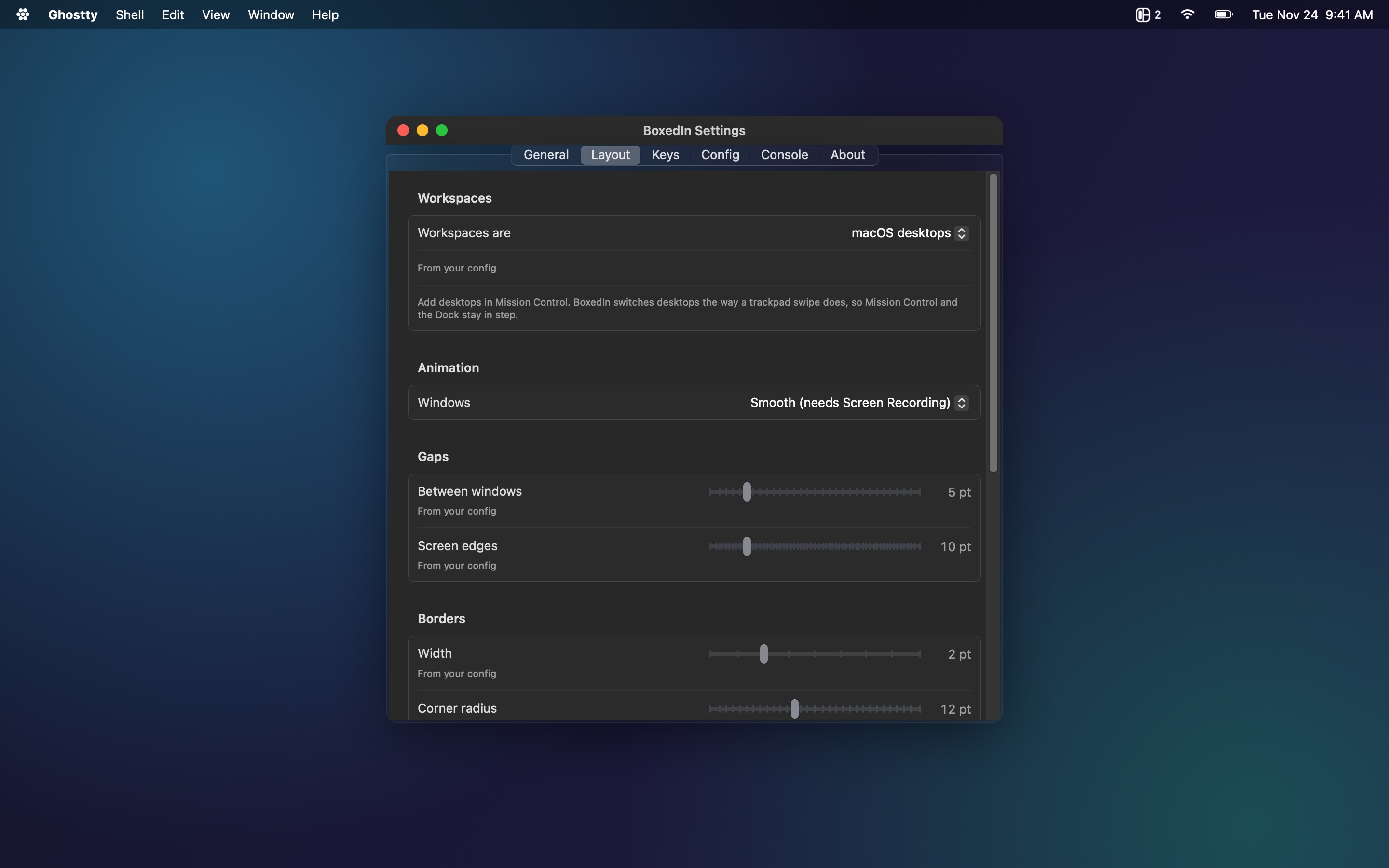
Gaps, border colors, focus follows mouse, and the switcher are in Settings, and changes apply at once. A setting changed there overrides your config until you press Reset.

The Layout pane of BoxedIn Settings with sliders for gaps and color wells for borders.

Also in the box

Your macOS desktops

Each desktop is a workspace with its own tiling, on ⌘1 to ⌘0, with the macOS animation. ⌥⇧ and a digit moves a window there.

Mouse binds

⌥-drag moves a window, ⌥⇧-drag or ⌥-right-drag resizes it, and ⌥-scroll changes workspace. Dragging the edge of a tiled window moves the split.

Focus follows mouse

The window under the pointer gets keyboard focus. Focus stays where it is while the pointer is over a menu or a popover.

Smart terminal

⌘↩ opens a new tab when the terminal is focused, a new window when it runs, and starts it when it does not.

Borders

Hyprland's gradient borders, with col.active_border and col.inactive_border in Hyprland's color syntax.

Scriptable

Hooks for workspace and window events, queries such as windows, and BoxedIn msg to run Tcl from a shell.

The config is a program

The config file is Tcl, run by ztcl in a sandbox. Loops and procs work, and the file reloads when you save it.

set super opt   ;# Omarchy's SUPER, on the Mac key in the same place

general {
    gaps_in   5
    gaps_out  10
    col.active_border {rgba(33ccffee) rgba(00ff99ee) 45deg}
}

bind cmd Return terminal
bind cmd Tab    {switcher next}
bind -mouse $super mouse:272 movewindow

for {set i 1} {$i <= 9} {incr i} {
    bind cmd $i [list workspace $i]
}

windowrule float -class {^com\.apple\.calculator$}
on workspace {apply {{ws} {log "workspace $ws"}}}

# Or bring your Hyprland config:
hyprland ~/.config/hypr/hyprland.conf

Download

BoxedIn is free while it is in preview. It needs macOS 14 or later.

Unzip the file, move BoxedIn to Applications, and open it. Then allow BoxedIn under Privacy & Security → Accessibility (Device Control and Data Access on macOS 27). Add desktops in Mission Control for more workspaces. The docs cover the config, every command, and the permissions.

BoxedIn uses private macOS APIs, so it is not in the App Store, and a macOS update can break a feature until BoxedIn is updated.