PDF documents
ztcl::pdf writes PDF files from Tcl with no other program and no library: text in your own fonts, tables, charts, images, links, and bookmarks. This guide has five complete programs in examples/pdf/. Run each one from the top folder of ztcl; the script reads the fonts of book/fonts/ and writes one PDF file:
$ ztcl --allow channels,file --tclsh examples/pdf/invoice.tcl invoice.pdf
wrote invoice.pdf, 1 pages
The flags turn on the files. ztcl::pdf itself reads and writes no file, so a script in the sandbox can make a PDF in memory and give its bytes to the embedder. ztcl::pdf is the reference of each command, and Typesetting in Tcl explains the paragraphs.
ztcl::pdf is on main and comes in the next release. Build from source to use it now.
The model
A document has pages, and each command draws on one page in points (1/72 inch) from the lower-left corner. A text position is the left end of the baseline. The program measures text with ztcl::pdf measure to align it right or center it, and breaks paragraphs with ztcl::typeset break. examples/pdf/common.tcl has the helpers of the examples: slurp reads a file, loadFonts adds the fonts of the book, rightText aligns text right, and save writes the file.
set doc [ztcl::pdf create]
set serif [ztcl::pdf font $doc [slurp book/fonts/SourceSerif4-Regular.ttf]]
set page [ztcl::pdf page $doc 612 792]                 ;# US Letter
ztcl::pdf text $doc $page $serif 11 72 720 "Hello"
set w [ztcl::pdf measure $doc $serif 11 "Total: \$42.00"]
ztcl::pdf text $doc $page $serif 11 [expr {540 - $w}] 720 "Total: \$42.00"
Here is the model as a whole program. In this page it runs in the browser, with the fonts of the site, and the PDF shows under it:
package require ztcl::pdf
set f [open book/fonts/SourceSerif4-Regular.ttf rb]
set data [read $f]
close $f
set doc [ztcl::pdf create]
set serif [ztcl::pdf font $doc $data]
set page [ztcl::pdf page $doc 612 792]
ztcl::pdf text $doc $page $serif 24 72 720 "Hello from ztcl::pdf"
set total "Total: \$42.00"
set w [ztcl::pdf measure $doc $serif 11 $total]
ztcl::pdf text $doc $page $serif 11 [expr {540 - $w}] 690 $total
set out [open hello.pdf wb]
puts -nonewline $out [ztcl::pdf bytes $doc]
close $out
puts "hello.pdf: [ztcl::pdf pages $doc] page"
hello.pdf: 1 page
An invoice
examples/pdf/invoice.tcl has a colored header, two address blocks, a table of items with right-aligned numbers and rules, the totals, and a justified note at the bottom.
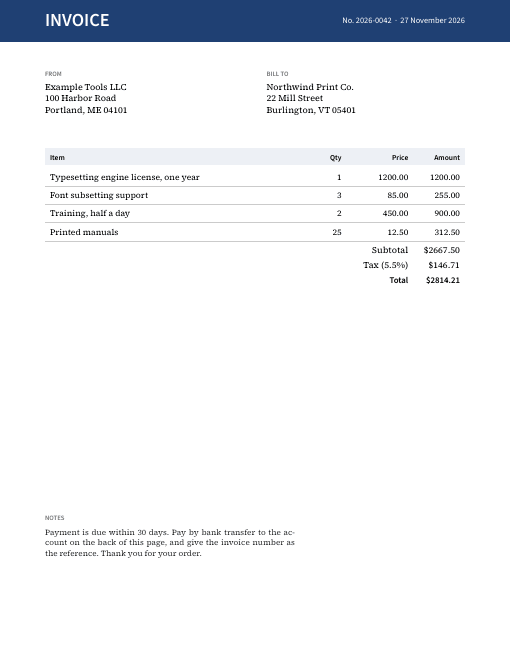
The table is a loop over the items. Each amount is right-aligned at the edge of its column:
foreach {name qty price} $items {
    set amount [expr {$qty * $price}]
    ztcl::pdf text $doc $p $serif 10 60 $y $name
    rightText $doc $p $serif 10 552 $y [format %.2f $amount]
    ztcl::pdf line $doc $p 54 [expr {$y - 7}] 558 [expr {$y - 7}] -width 0.4 -color {0.8 0.8 0.8}
    set y [expr {$y - 22}]
}
A report with a table and a chart
examples/pdf/report.tcl has a title, a justified paragraph, a table, and a bar chart with a grid and labels. The chart is rectangles and lines: each bar has the height of its value on the scale of the axis.
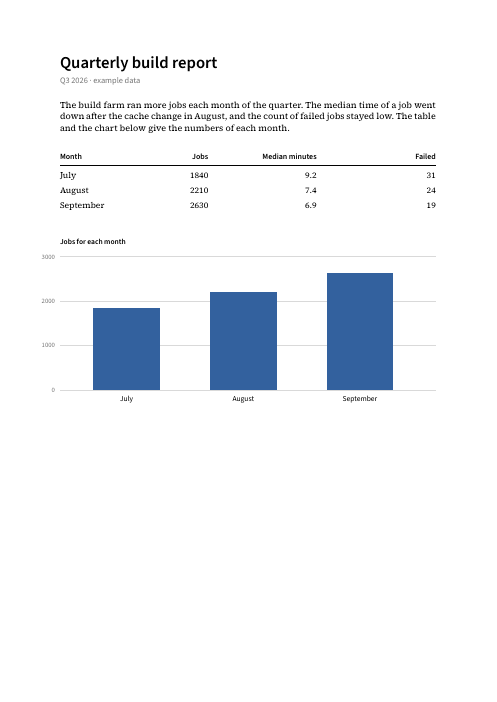
foreach {month jobs} $data {
    set bh [expr {$h * $jobs / double($max)}]
    ztcl::pdf rect $doc $p $bx $base 80 $bh -fill {0.2 0.38 0.62}
    incr bx 140
}
A chart from a ztk canvas can go into a PDF the same way: read the coordinates of each canvas item and draw it with rect and line. A direct export of a canvas to PDF is not in this version.
A letter with an embedded font
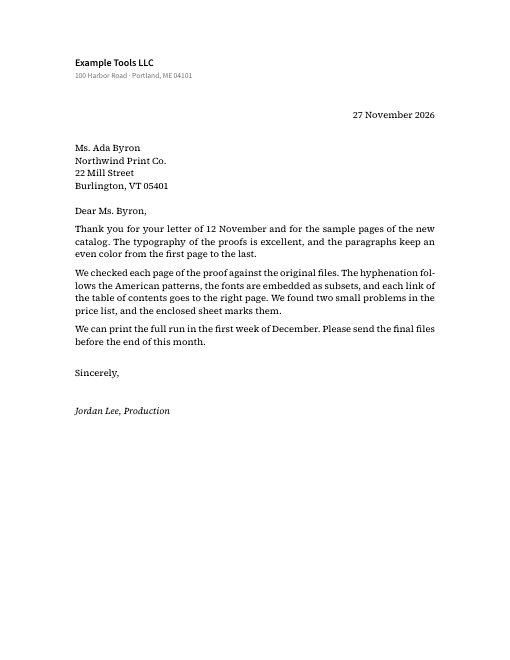
examples/pdf/letter.tcl uses one family, Source Serif 4, in two styles. The PDF has a subset of each style, so the letter looks the same on each computer, also one with no copy of the font. The paragraphs are justified and hyphenated by ztcl::typeset break.
A manual with an outline and links
examples/pdf/manual.tcl gives Markdown to ztcl::typeset markdown, with a page size of A5. The result has an opening heading, numbered sections, a code block, a note, links between the sections, an outline that a PDF reader shows as bookmarks, running heads, page numbers, and an index from the {^term} marks of the text.
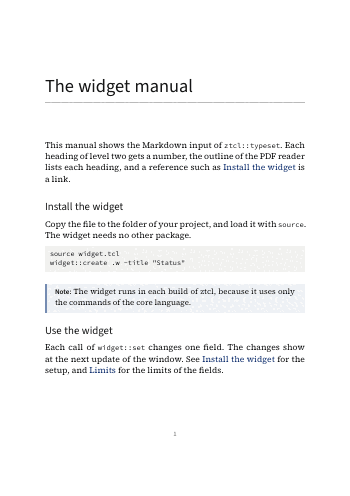
set stats [ztcl::typeset markdown $doc $text -fonts $fonts \
    -style {page_w 420 page_h 595 inner 54 outer 54 top 70 lines 32}]
For your own links and bookmarks, without Markdown, use the commands directly:
ztcl::pdf dest $doc limits $page 72 700                ;# a named place
ztcl::pdf link $doc $p2 72 500 200 512 -dest limits    ;# a link to it
ztcl::pdf link $doc $p2 72 480 200 492 -uri https://beetlebug.org/ztcl/
ztcl::pdf outline $doc "Limits" 1 $page 700           ;# a bookmark
A sheet of labels
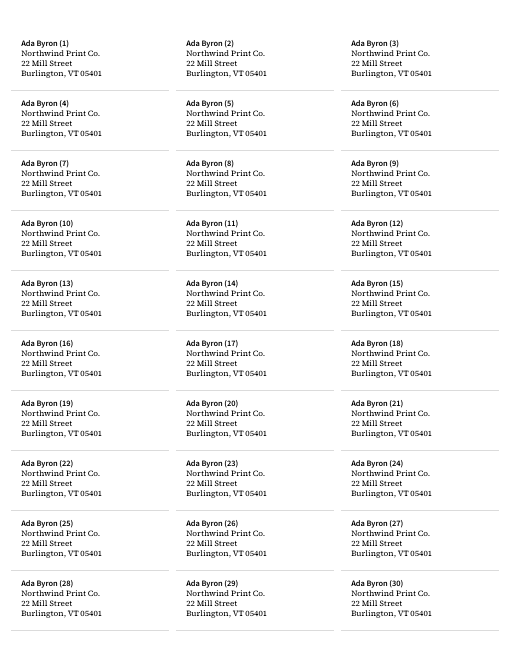
examples/pdf/labels.tcl prints 30 address labels on a US Letter sheet: 3 columns and 10 rows of 1 by 2-5/8 inch labels. A thin line marks the bottom of each label, to check the alignment on a test print before a print on the label stock.
Check a file
tools/pdf-check.py checks the structure of a PDF file from ztcl::pdf: the cross-reference table, each stream, the page tree, and each embedded font. It also runs qpdf --check when qpdf is on the PATH. CI runs it on each example and on the book.
$ python3 -I tools/pdf-check.py invoice.pdf