
Plugins
A plugin adds commands to Outliner. A plugin is a Tcl script or a WebAssembly module. Outliner runs no JavaScript, so the plugins of Logseq do not run. Some of them have a port: see the plugin list.
Install a plugin
A plugin is a folder with a file plugin.json. Put the folder in one of these places, and start Outliner again:
~/.config/outliner/plugins/for each graphlogseq/outliner-plugins/in the folder of one graph
The repository has two examples in examples/plugins/.
Turn a plugin on
A new plugin is off. It runs no code.
- Open a page.
- Click Plugins in the toolbar.
- Read what the plugin asks for.
- Click This page to turn it on for the open page, or The whole graph.
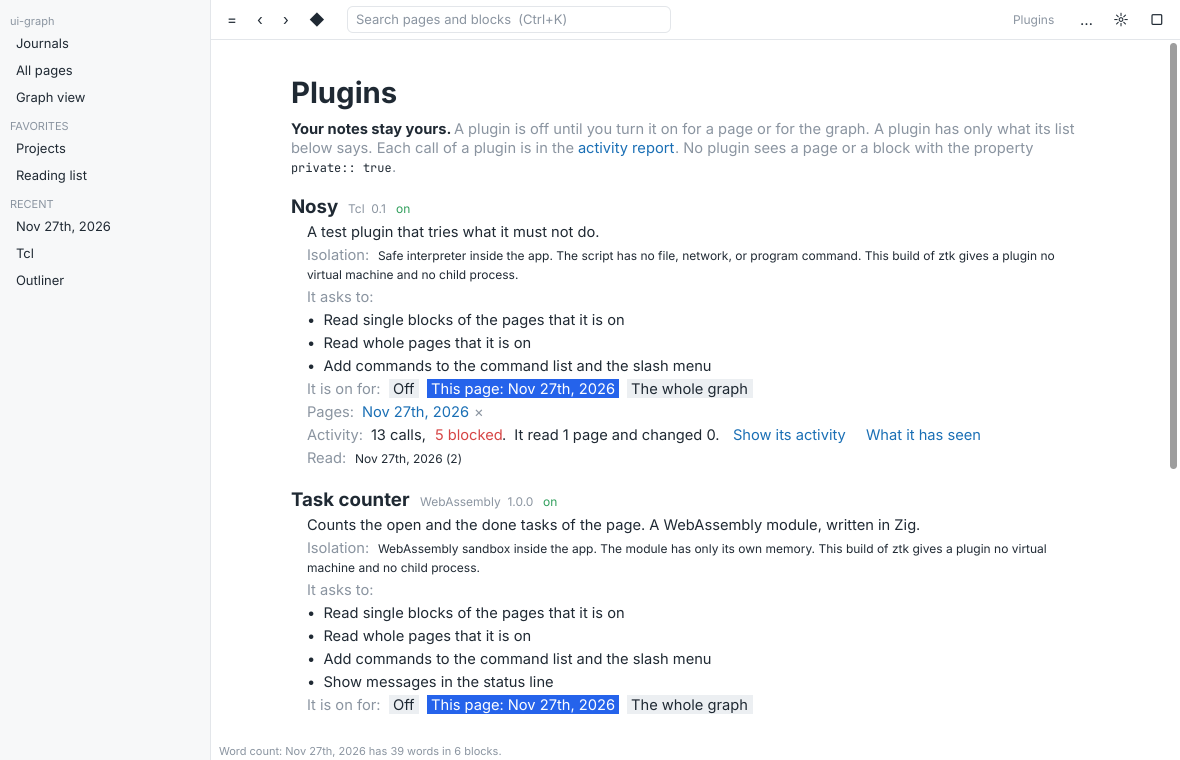
Off stops the plugin at once and removes its commands. The data that the plugin had in memory is deleted. Turn each plugin off at the end of the panel stops all plugins.
A plugin that is on for some pages gets no data of other pages. Its commands do not run on other pages.
What a plugin can ask for
| Grant | What it gives |
|---|---|
read | Single blocks of the pages that it is on |
read-pages | Whole pages that it is on: the text and the list of blocks |
write | Changes of blocks of the pages that it is on |
commands | Commands in the command list and the slash menu |
notify | Messages in the status line |
network | The network. This version blocks each network call |
files | Files outside the graph. This version blocks each file call |
Private pages and blocks
- A page with
private:: truein its first block is private. - A block with
private:: trueis private, with its children. :plugins/private-pages ["Name" ...]inconfig.ednlists more private pages.:plugins/private-properties ["salary" ...]lists properties that no plugin gets.
No plugin gets private data, with any grant and any scope. The activity report shows each try as blocked.
The activity report
Activity report in the plugin panel shows each call of each plugin, newest first: the time, the plugin, the action, the page and the block, and the result. A blocked call is red and has its reason. A change shows the text that the plugin wrote.
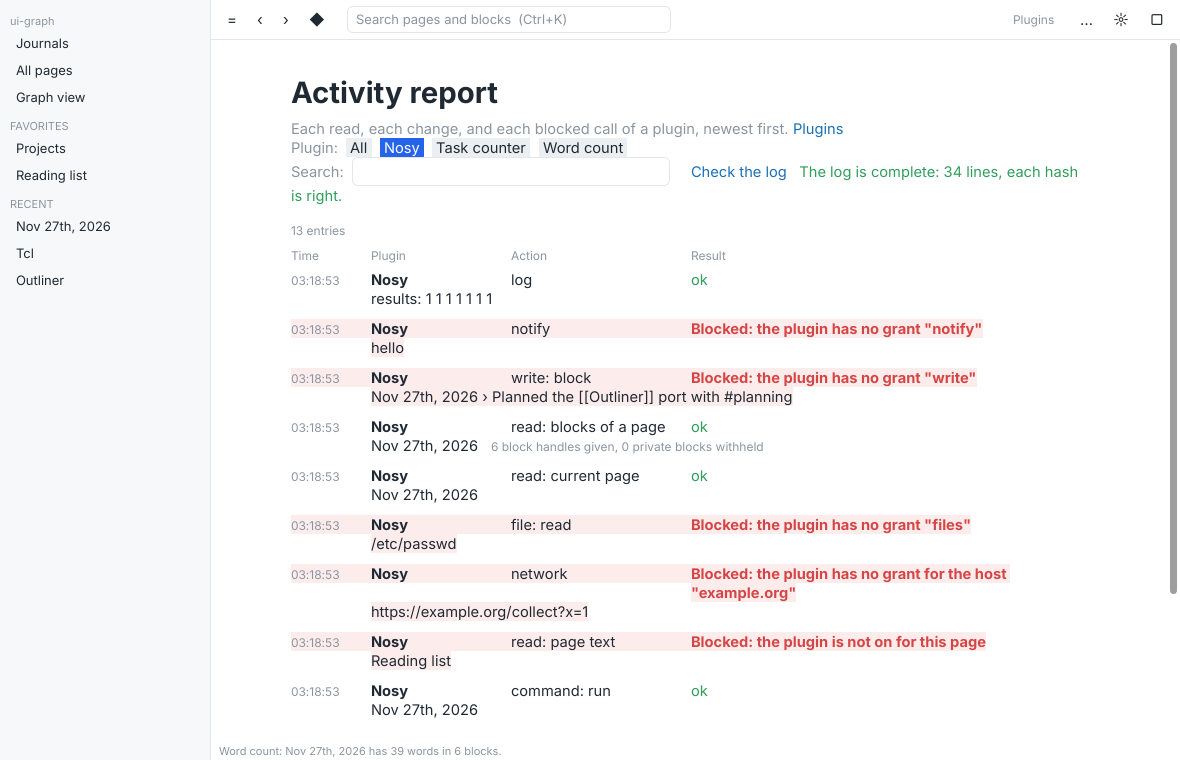
- Search filters the lines by any text, such as a page name or
blocked. - Check the log checks the hash chain of the log file. Each line has the hash of the line before it, so a changed or removed line shows.
- The log file is
~/.config/outliner/activity/GRAPH.log, one JSON object on each line.
What has a plugin seen
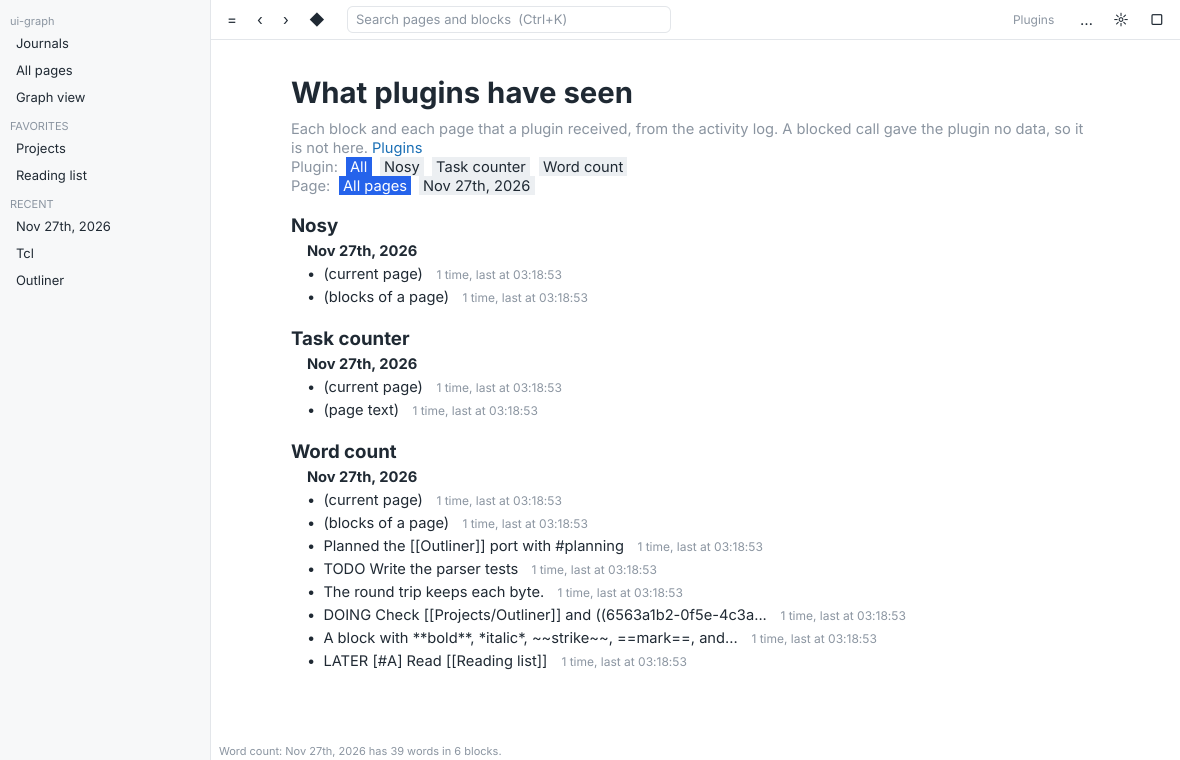
What it has seen lists each block and each page that a plugin received. The command What plugins have seen of this page gives the list for the open page.
Write a plugin
The plugin API has the manifest, the Tcl commands, and the WebAssembly functions.