Software
The printdeck program
One static Go binary: the Klipper host, the touch screen, the remote screen, the API for slicers and the display of the printer.
What the program does
The Printdeck runs Printdeck OS, a small read-only Linux system. os/README.md has the build, the install and the update.
deck/ is the Printdeck program: one static Go binary that runs as the user deck. It has these parts:
printdeck klippy: the Klipper host, a Go port of Klipper'sklippy.py. Theklipperservice runs it.deck/internal/klipper/PORTING.mdhas the rules of the port.- The touch screen application, with no desktop or browser.
- The remote screen at
http://printdeck.local: the touch screen in a browser. - The part of the OctoPrint API that Cura, OrcaSlicer and PrusaSlicer use.
- The display of the printer (128 x 64). The knob opens the same menus as the touch screen.
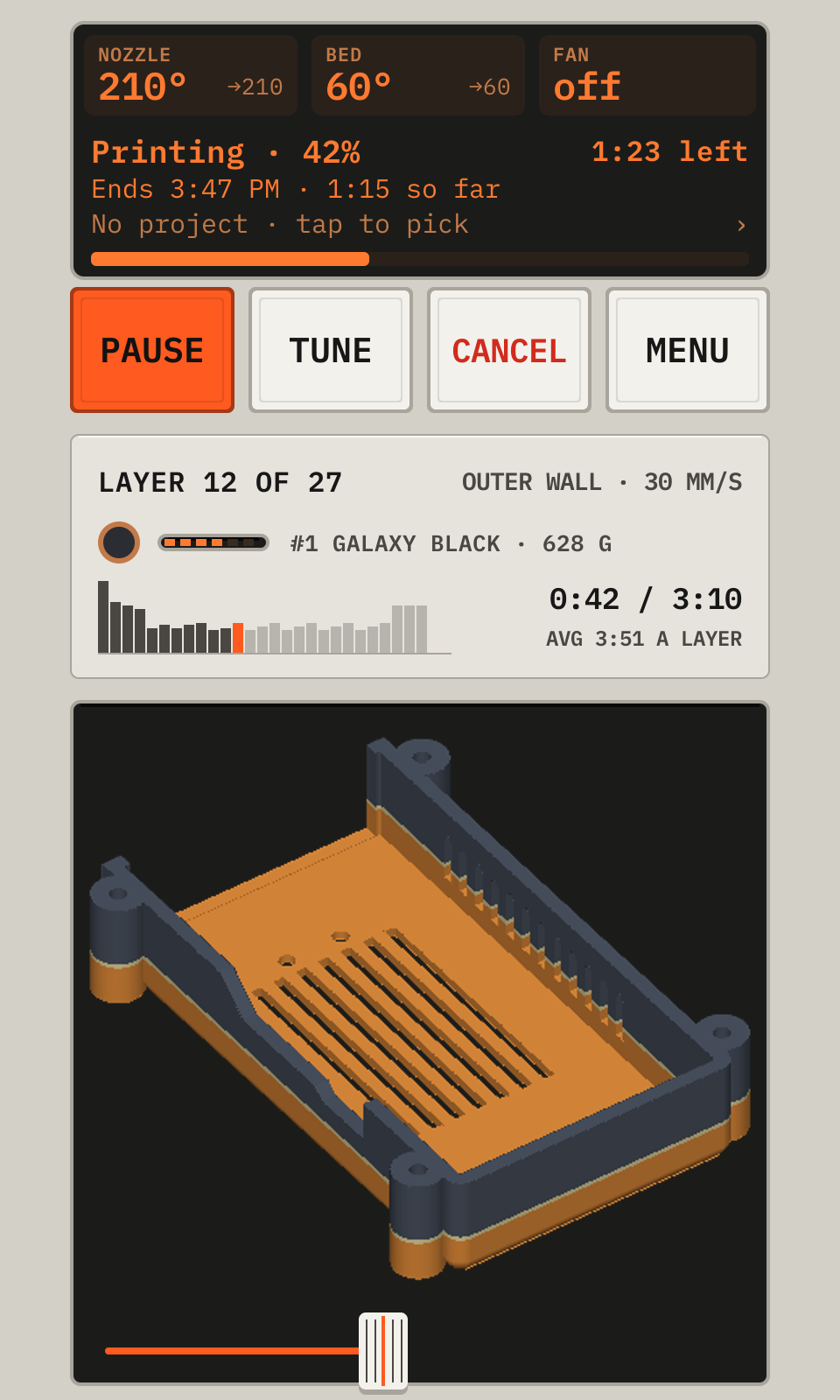
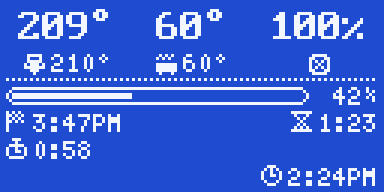
The screens are on the deck UI pages. The commands of the program are in the reference.
The goal
Printdeck is a very small operating system with one purpose: run one 3D printer and its touch screen. The goals are a small image, a fast start, and a low use of memory and CPU.
- The Printdeck program is one static Go binary with no runtime dependencies. cgo is allowed only when it links statically. Today the binary builds with
CGO_ENABLED=0. - The system parts stay: the kernel and its firmware, systemd,
wpa_supplicantand the CA certificates. Buildroot makes the image.
Where we are
| Step | What changes | State |
|---|---|---|
| 1 | A Buildroot image: read-only A/B system, Klipper, OctoPrint, and the deck | Done |
| 2 | The deck serves the remote screen and the API for slicers. OctoPrint goes. | Done |
| 3 | A Go port of the Klipper host (printdeck klippy). Python goes. | Done. It printed on the TAZ Workhorse. |
| 4 | The deck runs as the unprivileged user deck. | Done in the image. To test on the Pi. |
The Klipper port
A Go Klipper host can drive a heater or a motor in the wrong way. So the port follows these rules:
- It starts from the Klipper commit of the printer firmware, with the same protocol.
- The heater safety code (the PID loop,
verify_heater, and the limits for the firmware) comes first. - Before it drives the printer, the Go host must give the same board commands as Klipper's batch mode (
klippy.py -o) for the printer ofprinter/. The test compares the commands of each object, in order.
tools/klipper-reference makes the reference data. deck/internal/klipper/PORTING.md has the rules of the port.
The deck program
| Package | What it does |
|---|---|
cmd/printdeck | The program: the deck, the Klipper host (klippy), and the other commands |
internal/klipper | The Go port of the Klipper host |
internal/ui | The screens of the touch screen |
internal/gfx, internal/fb, internal/touch | Drawing, the framebuffer, and the touch screen |
internal/printer | The printer state, the picture of the print, and the backends |
internal/klippy | The client for the API socket of the Klipper host |
internal/gcodestore | The G-code files, in the folder of Klipper's virtual SD card |
internal/octoapi | The OctoPrint-compatible API for slicers, with App Keys on the touch screen |
internal/remote | The remote screen in the browser |
internal/gcode, internal/stl | G-code and STL reading for the picture of the print |
internal/lcd | The display of the printer: the status screen, the menus and the animations |
internal/wifi | Wi-Fi through wpa_supplicant |
Open source and licenses
Printdeck uses the work of other open source projects: Klipper, OctoPrint, Moonraker, Buildroot and the Linux kernel. We give the result back under a compatible license.
- Printdeck is under the GNU Affero GPL, version 3 (
LICENSE). The remote screen links to the source. - Klipper is GPL-3.0. Section 13 of the GPL-3.0 and of the AGPL-3.0 lets Klipper code and Printdeck code be one program. The Klipper files keep the GPL-3.0. OctoPrint is AGPL-3.0.
- Ported code keeps its copyright and license notices, and names its project and authors at the top of the file.
- For a protocol (the OctoPrint API, the Klipper API socket), we write our own code. The code follows the documentation and the behavior, and names the project of the protocol.
- A release of the image includes the sources and the licenses of all its packages (
make legal-infoof Buildroot). - The image keeps the licenses of the proprietary firmware of the Pi and of the Wi-Fi chip.
If you find code in Printdeck with a missing credit or license, please open an issue.
Built with AI
Much of Printdeck is written with an AI coding assistant (Claude), directed and reviewed by a person. That code follows the same rules: it respects the licenses above, gives credit, and passes its tests.
Demo mode
To see the screens with no hardware, run go run ./cmd/printdeck demo /tmp/shots in deck/. It writes PNG files. For the screens in a browser, run go run ./cmd/printdeck remote-demo and open http://localhost:8080 (password demo).
Work that remains
- Lower the CPU use of the screen loop.
- Test the slicer uploads (Cura, OrcaSlicer) to the Printdeck API.