Software
The remote screen and the API
The deck in a browser, the system page, and the OctoPrint-compatible API that slicers use.
The remote screen
Open http://printdeck.local in a browser and log in with the password. The web server uses plain HTTP, so use it only on your own network.
/: the touch screen in the browser. Each browser has its own screens. On a phone, "Add to Home Screen" opens it as an app./system: the version, the services, the logs, the API key for slicers, the update, the backup, and the link to the source code.
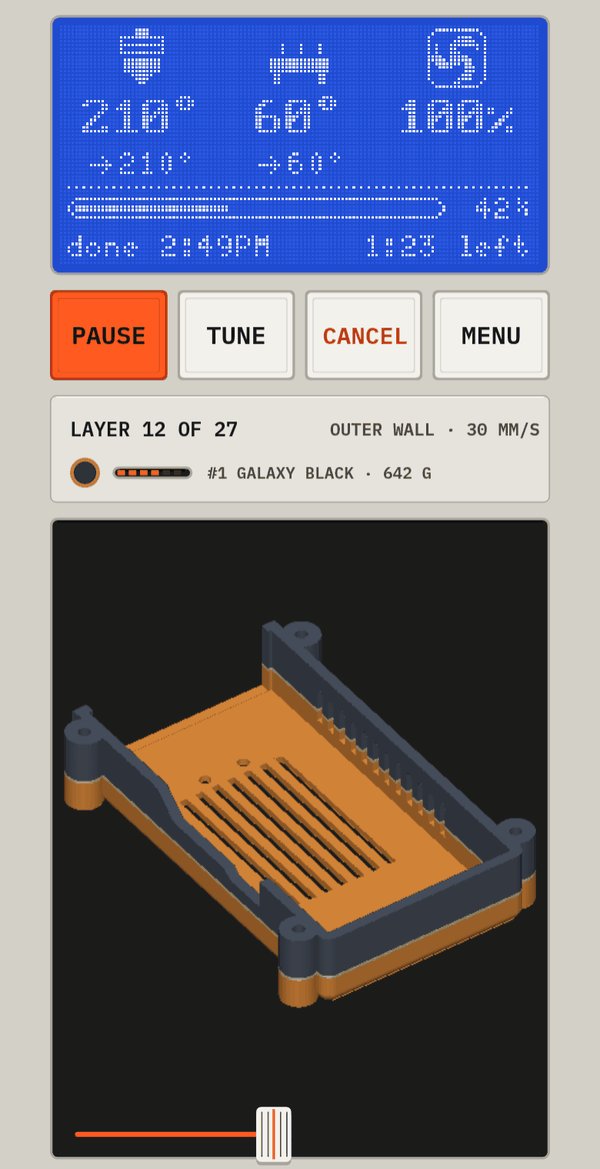
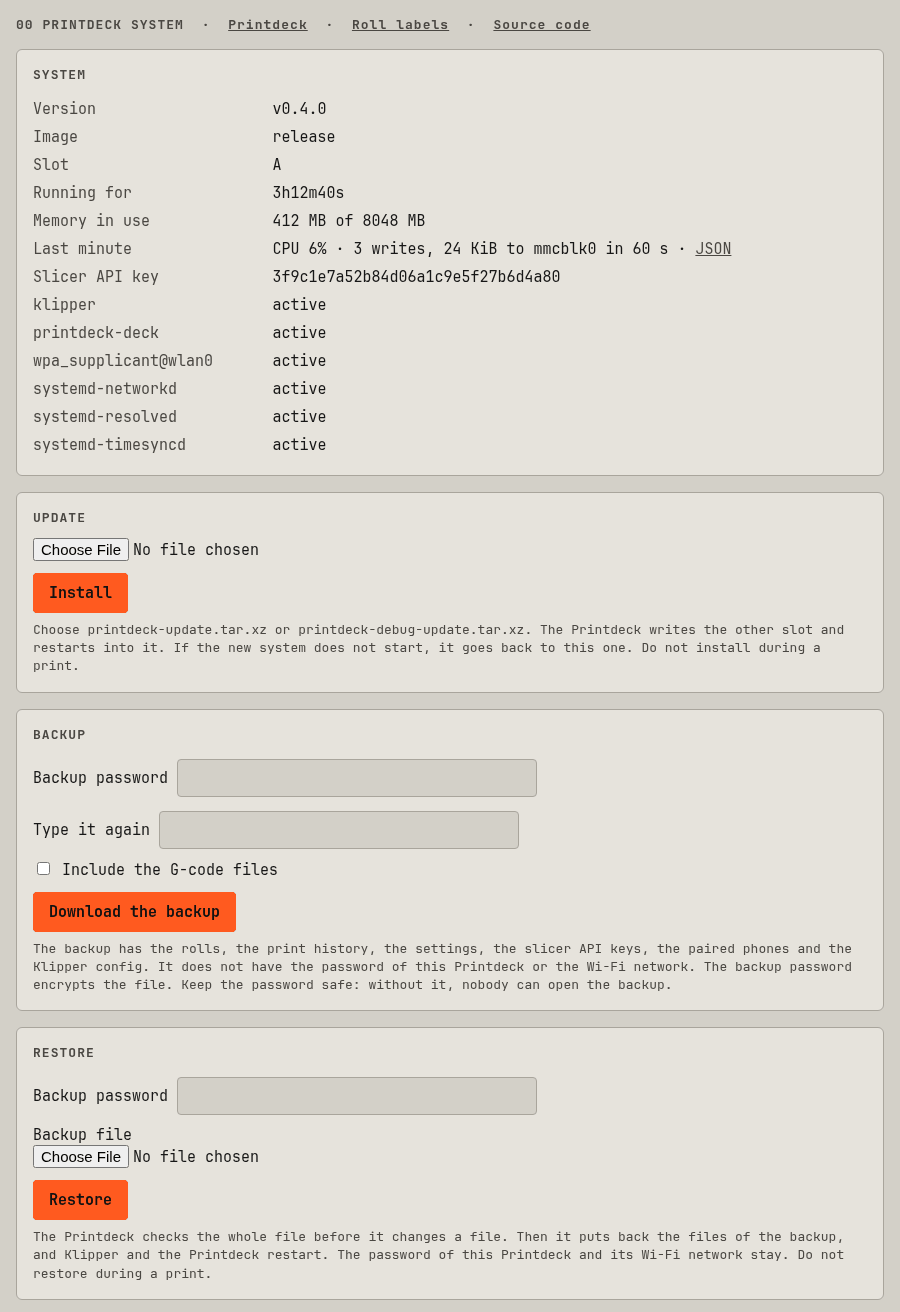
Package remote is the deck UI in a web browser: each browser has its own session of the UI, and draws its frames on a canvas. The password of the Printdeck login protects it.
The routes of the remote screen, from deck/internal/remote/remote.go:
| Method | Path |
|---|---|
| GET | /login |
| POST | /login |
| POST | /logout |
| GET | /{$} |
| GET | /screen |
| GET | /ui/events |
| POST | /ui/touch |
| POST | /ui/key |
| GET | /ui/img/{id} |
| GET | /ui/font/{name} |
| GET | /manifest.webmanifest |
| GET | /icon.png |
The system page, from deck/cmd/printdeck/sysweb.go:
| Method | Path |
|---|---|
| GET | /system/metrics |
| GET | /system/goroutines |
| GET | /system |
| POST | /system/update |
| POST | /system/restart |
| POST | /system/switch-deck |
| POST | /system/backup |
| POST | /system/restore |
| GET | /system/update/progress |
| GET | /system/videos/{name} |
| GET | /system/firstlayer.jpg |
The API for slicers
The Printdeck uses the OctoPrint API that slicers use to send files and start prints. The slicers see a printer named "Printdeck". The files go to /var/lib/klipper/gcodes.
- Cura (the OctoPrint Connection plugin): select the Printdeck in the list of OctoPrint printers, and click "Request". The touch screen asks "Allow Cura to use the Printdeck?". Tap Allow.
- OrcaSlicer, PrusaSlicer: add a physical printer of the type OctoPrint, with the address
http://printdeck.local. The API key is on the system page (/system).
The webcam of the API is the USB camera of the deck, or the deck screen when it has no camera:
/webcam/stream: an MJPEG stream, up to 15 frames a second.fps=2sends at most 2 frames a second./webcam/snapshot: the newest frame as a JPEG.w=320(both): a picture 320 pixels wide.
They need the API key (X-Api-Key, or ?apikey=), or the login of the remote screen. The camera runs only while somebody looks.
Package octoapi serves the part of the OctoPrint REST API that slicers use, so Cura, OrcaSlicer, PrusaSlicer and others can send files to the Printdeck and start prints. The Printdeck shows its own name, and says "OctoPrint" only in the version text that the slicers check.
The API is defined by OctoPrint (https://docs.octoprint.org/en/master/api/, AGPL-3.0). This is our own code: it follows the documentation and the requests of the slicers, and has none of OctoPrint's code. Moonraker's octoprint_compat.py (GPL-3.0) showed which endpoints the slicers need.
The Printdeck plugin for Cura uses the same connection, and the /api/plugin/printdeck routes.
The routes of the API, from deck/internal/octoapi/octoapi.go. The routes under /plugin/appkeys need no key: they are the App Keys flow, in which the touch screen asks you to allow the slicer. All the other routes need the API key.
| Method | Path |
|---|---|
| GET | /api/version |
| GET | /plugin/appkeys/probe |
| POST | /plugin/appkeys/request |
| GET | /plugin/appkeys/request/{token} |
| GET | /api/server |
| GET | /api/settings |
| GET | /api/currentuser |
| POST | /api/login |
| GET | /api/printerprofiles |
| GET | /api/printer |
| POST | /api/printer/command |
| POST | /api/printer/printhead |
| POST | /api/printer/tool |
| POST | /api/printer/bed |
| GET | /api/job |
| POST | /api/job |
| GET | /api/connection |
| POST | /api/connection |
| GET | /api/files |
| GET | /api/files/local |
| POST | /api/files/local |
| GET | /api/files/local/{path...} |
| POST | /api/files/local/{path...} |
| DELETE | /api/files/local/{path...} |
| GET | /downloads/files/local/{path...} |
| GET | /api/plugin/printdeck |
| POST | /api/plugin/printdeck/materials |
| POST | /api/plugin/printdeck/roll |
| GET | /api/plugin/printdeck/model.png |
| POST | /api/plugin/printdeck/estimate |
| POST | /api/plugin/printdeck/push/pair |
| GET | /api/plugin/printdeck/push |
| DELETE | /api/plugin/printdeck/push/{id} |
| GET | /api/plugin/printdeck/queue |
| POST | /api/plugin/printdeck/queue/{id}/move |
| DELETE | /api/plugin/printdeck/queue/{id} |
| GET | /api/timelapse |
| GET | /downloads/timelapse/{name} |
| GET | /downloads/timelapse/{name}/still |
| GET | /webcam/stream |
| GET | /webcam/snapshot |
The desktop app serves the same screen and the same API on 127.0.0.1:7351, with a token in place of the password. See Desktop app and simulator.