ztk::android::ListScreen
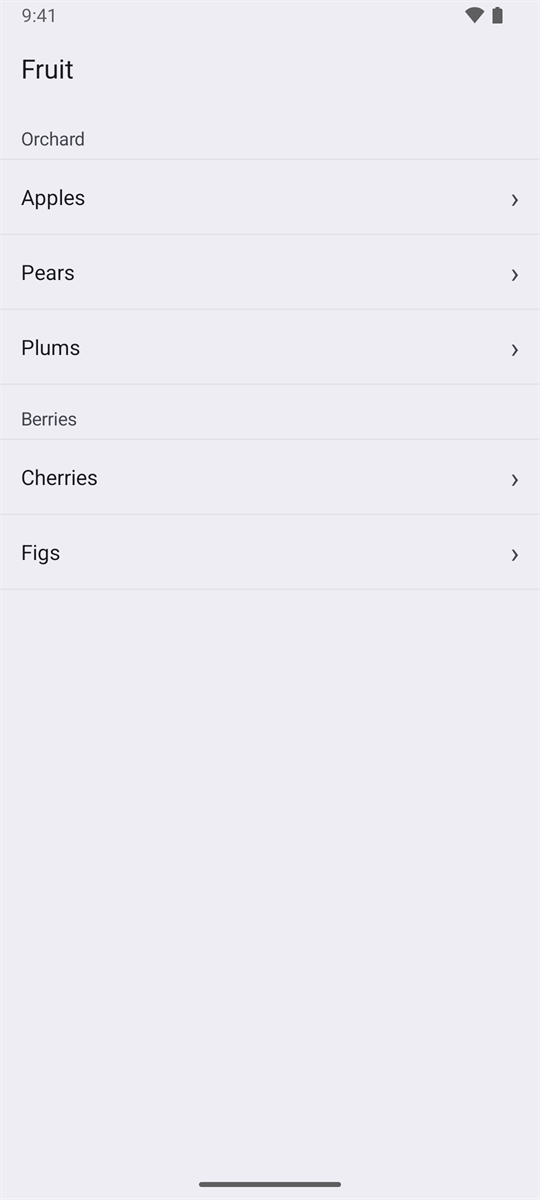
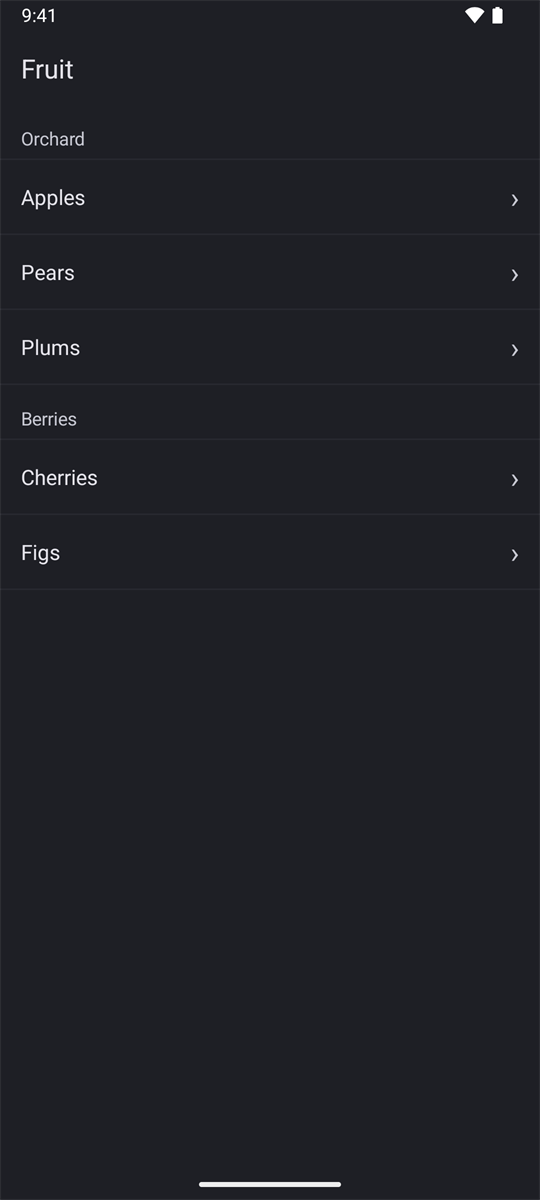
Makes a screen of rows in sections (ListView), with the rows from the methods of a subclass.
| Light |
Dark |
 |
 |
Synopsis
ztk::android::ListScreen new ?-title TEXT? ?-style STYLE?
$CELL configure ?OPTION VALUE ...?
Arguments
| Name |
Type |
Default |
Meaning |
-title |
text |
empty |
The title in the toolbar. |
-style |
insetGrouped, grouped, plain |
insetGrouped |
The look of the sections on iOS. A list of Android has one look for each value. Only new sets it. |
sections |
method |
|
Gives the number of sections. The default method gives 1. |
rows SECTION |
method |
|
Gives the number of rows of a section, from 0. The default method gives 0. |
title SECTION |
method |
|
Gives the title over a section, in small text. The default method gives an empty string: no title. |
cell SECTION ROW CELL |
method |
|
Fills a row with $CELL configure. The method sets each option that the row shows. |
select SECTION ROW |
method |
|
Runs at a tap on a row. |
actions SECTION ROW |
method |
|
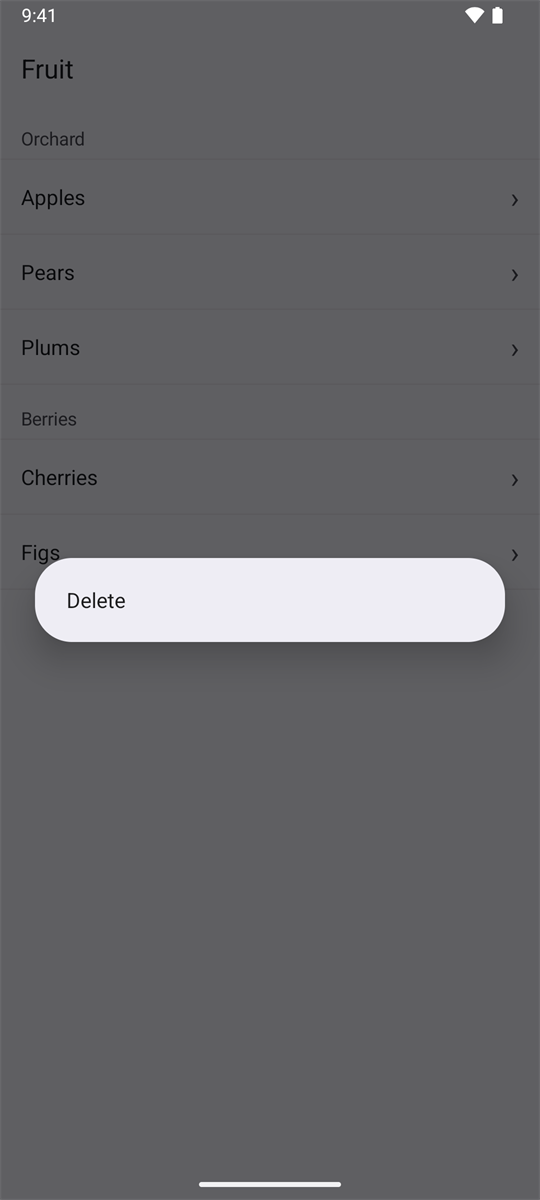
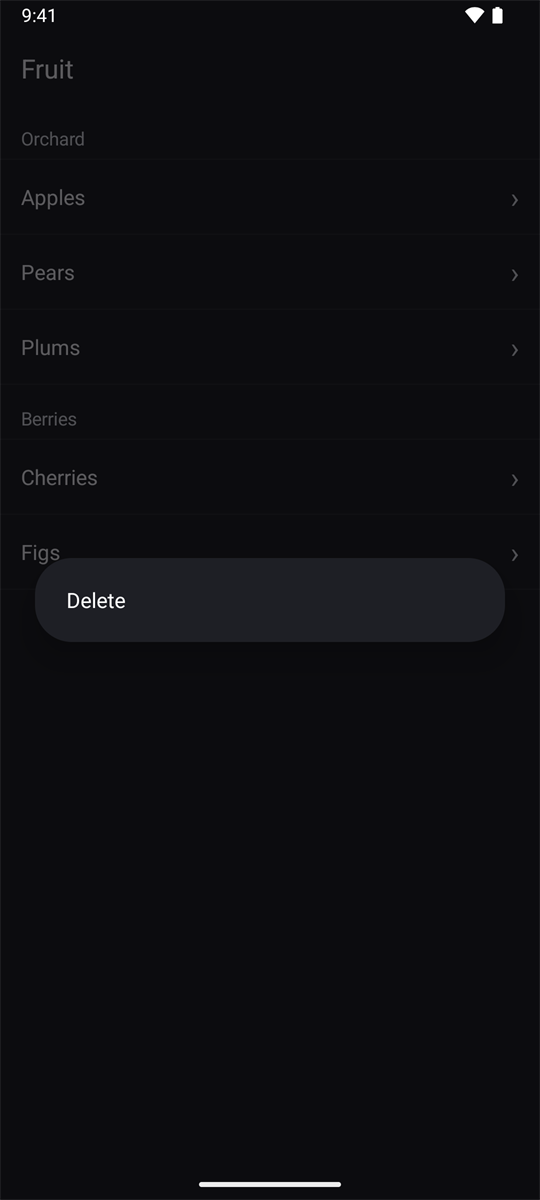
Gives the actions of a row: a list of {LABEL ?STYLE?}, where STYLE is normal or destructive. A long tap on the row shows them in a menu. The default method gives an empty list: a long tap shows no menu. |
swiped SECTION ROW LABEL |
method |
|
Runs at a tap on an action of the menu, with its label. |
closed |
method |
|
Runs when the screen leaves its navigation stack, before the screen is destroyed. |
-search |
boolean |
0 |
1 shows a search field (SearchView) over the rows. Each change of its text runs the method search. |
-editing |
boolean |
0 |
The editing mode of iOS, where the user drags rows. A list of Android has no drag of its rows: the option keeps its value, and move runs only from invokeMove. |
search TEXT |
method |
|
Runs at each change of the text of the search field. The method keeps the rows that match and calls reload. |
movable SECTION ROW |
method |
|
Gives 1 when the user can drag the row in the editing mode of iOS. The default method gives 0. |
move FROMSECTION FROMROW TOSECTION TOROW |
method |
|
Runs when a row moves to another place. The method moves the row in its data. |
searchText |
method |
|
Gives the text of the search field. |
invokeSearch TEXT |
method |
|
Puts TEXT in the search field and runs search, as typing does. |
invokeMove FROMSECTION FROMROW TOSECTION TOROW |
method |
|
Runs move, as a drop does on iOS. |
reload |
method |
|
Asks the data source again for each row. |
invoke SECTION ROW |
method |
|
Runs select, as a tap on the row does. |
invokeAction SECTION ROW INDEX |
method |
|
Runs swiped for the action INDEX of actions, as a tap on it in the menu does. |
push, pop, navigationStack |
method |
|
As for a screen. |
configure, cget, destroy |
method |
|
As for each object (ztk::android). |
-text |
cell option |
empty |
The main text of the row. |
-detail |
cell option |
empty |
A second line of smaller text in a secondary color. |
-symbol |
cell option |
none |
A symbol of SF Symbols on iOS. The option has no effect on Android. |
-accessory |
cell option |
none |
The mark at the end of the row: none, disclosure (a chevron), checkmark, or detail. |
-indent |
cell option |
0 |
The level of indent: 16 dp for each level. |
Android calls the methods of the data source for the rows on the screen. An error in one goes to bgerror, and the list uses the default of the method. Android reuses the view of a row that scrolls out, so cell sets each option that the row shows. The list asks sections, title, and rows again only after reload. When the script is busy, a question of the list waits 250 ms; past that, the list shows no rows, and it asks again when the script is free.
| Light |
Dark |
 |
 |
Return value
new gives the object. The methods reload, invoke, invokeAction, invokeSearch, and invokeMove, and $CELL configure, give an empty string.
Errors
| Error |
When |
-style of a list is set by new only |
configure -style after new. |
bad style "STYLE": must be grouped, insetGrouped, or plain |
-style has another value. |
unknown option "-X": must be -accessory, -detail, -indent, -symbol, or -text |
$CELL configure has another option. |
bad accessory "X": must be checkmark, detail, disclosure, or none |
-accessory has another value. |
expected integer but got "X" |
-indent, or an argument of invoke or invokeAction, is no integer. |
no cell to change: change a cell in the method cell of the list |
$CELL configure outside of the method cell. |
| Platform |
Works |
| Windows |
No |
| macOS |
No |
| Linux, Wayland |
No |
| Linux, X11 |
No |
| Web |
No |
| iOS |
No: ztk::ios::ListScreen |
| Android |
Yes |
| Headless |
No: the namespace does not exist. |
Example
oo::class create Fruit {
    superclass ztk::android::ListScreen
    variable names
    constructor {} {
        set names {{Apples Pears Plums} {Cherries Figs}}
        next -title Fruit
    }
    method sections {} { llength $names }
    method rows {section} { llength [lindex $names $section] }
    method title {section} { lindex {Orchard Berries} $section }
    method cell {section row cell} {
        $cell configure -text [lindex $names $section $row] -accessory disclosure
    }
}
ztk::android::app root [ztk::android::NavigationStack new [Fruit new]]
See also