Android
ztk runs a Tcl and Tk script as an app on an Android phone or tablet, with Android 10 or later, on arm64 and x86-64. The app fills the screen, Vulkan draws it, and each widget works by touch. This section goes from the emulator to an APK that you can give to other people.
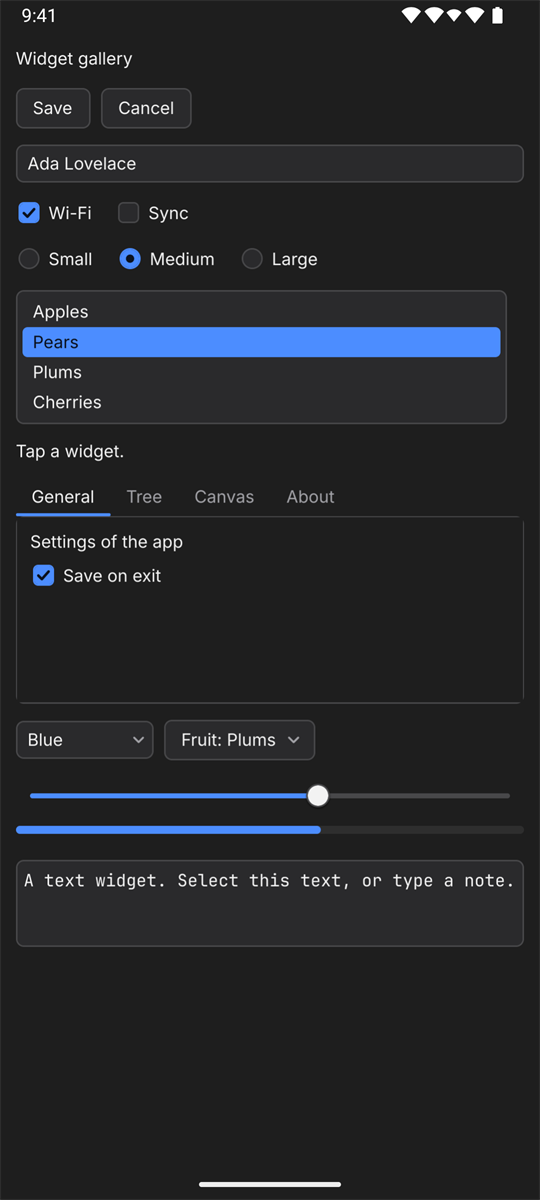
ztk --android examples/platform-gallery.tcl.What a script gets on Android
The same script runs on a desktop with ztk main.tcl and on a phone, so you can write and try it on the computer first. On the phone:
- The window
.fills the screen, and the widgets stay inside the system bars withtk insets. - A tap is a click, and a drag is a drag of button 1.
- The soft keyboard opens when an entry or a text widget gets the focus.
- The theme follows the light and the dark mode of Android, and the named fonts follow the font size of the system.
Touch and the screen has the parts that Android and iOS share: touch, the soft keyboard, the insets, the size of text, and the life of the app.
What you need
The build and ztk bundle need no Android Studio, Gradle, Java, or Android SDK. The app is a native activity. The APK has a small file of Java classes for the views of Android, which ztk writes with no Java tools. Windows, macOS, and Linux can each build it.
| To | You need |
|---|---|
| Build ztk and its Android runtime | Zig 0.17.0, and the Android NDK in ANDROID_NDK_HOME. This section uses NDK r28c. |
| Write an APK | The ztk program, and the runtime of the target next to it |
| Install and run the app | adb of the Android platform-tools, and a phone with USB debugging on, or the emulator |
The pages of this section
- Install: build ztk and the Android runtime.
- Develop: run on a phone or the emulator, see the log, make and sign the APK.
- Widgets: the soft keyboard, the screen, and Back.
- Menus: menus by touch, and what replaces a menu bar.
- Android features: the renderer, the files of the app, the life of the app, and the manifest.
- Limits: what does not work on Android.