ztk::ios::TabScreen
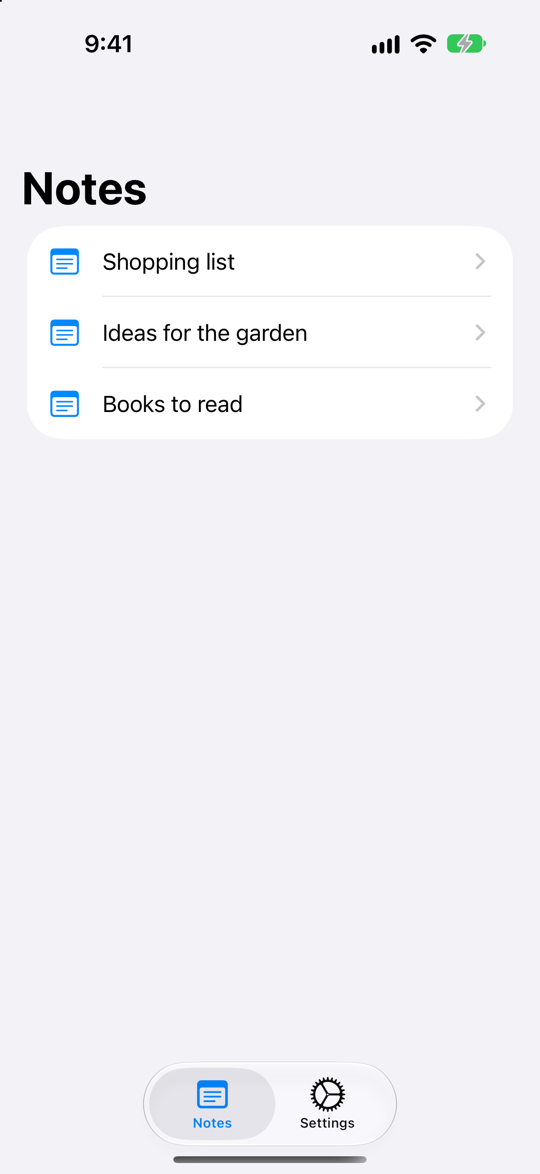
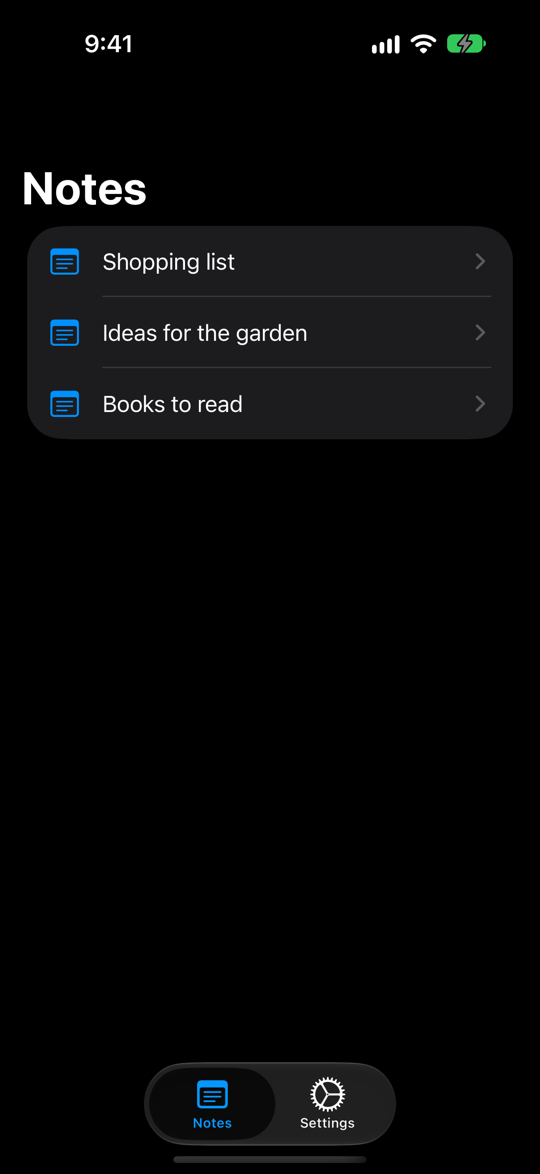
Makes a tab screen (UITabBarController) that shows one of its tabs at a time.
| Light |
Dark |
 |
 |
Synopsis
ztk::ios::TabScreen new ?-selected INDEX? ?-command SCRIPT?
$TABS add CHILD ?-title TEXT? ?-symbol NAME?
Arguments
| Name |
Type |
Default |
Meaning |
-selected |
integer |
0 |
The index of the tab that shows. cget -selected gives the tab after the taps of the user. |
-command |
script |
empty |
Runs at the global level at a tap on a tab, with the tab screen appended. A change of -selected by the script does not run it. |
add CHILD |
method |
|
Puts a screen or a navigation stack in the next tab. |
-title |
option of add |
empty |
The text under the symbol of the tab. |
-symbol |
option of add |
none |
A symbol of SF Symbols for the tab, such as calendar or gear. |
tabs |
method |
|
Gives the screens and navigation stacks of the tabs, in their order. |
invoke INDEX |
method |
|
Shows the tab INDEX and runs -command, as a tap does. |
configure, cget, destroy |
method |
|
As for each object (ztk::ios). destroy also frees the tabs. |
An iPhone shows the tab bar at the bottom. An iPad shows a bar at the top or a sidebar.
Return value
new gives the object. add gives CHILD. tabs gives a list. invoke gives an empty string.
Errors
| Error |
When |
"OBJECT" is not a screen or a navigation stack |
The argument of add is a control, a tab screen, or no object of ztk::ios. |
unknown option "-X": must be -symbol or -title |
add has another option. |
value for "-X" missing |
An option of add with no value. |
no symbol "NAME" of the system |
-symbol names no symbol of SF Symbols. |
no tab N: the tab screen has M tabs |
-selected or invoke names a tab out of range. |
| Platform |
Works |
| Windows |
No |
| macOS |
No |
| Linux, Wayland |
No |
| Linux, X11 |
No |
| Web |
No |
| iOS |
Yes |
| Android |
Yes, as ztk::android::TabScreen. |
| Headless |
No: the namespace does not exist. |
Example
set tabs [ztk::ios::TabScreen new]
$tabs add [ztk::ios::NavigationStack new [ztk::ios::Screen new -title Notes]] -title Notes -symbol note.text
$tabs add [ztk::ios::NavigationStack new [ztk::ios::Screen new -title Settings]] -title Settings -symbol gear
ztk::ios::app root $tabs
See also