-title |
text |
empty |
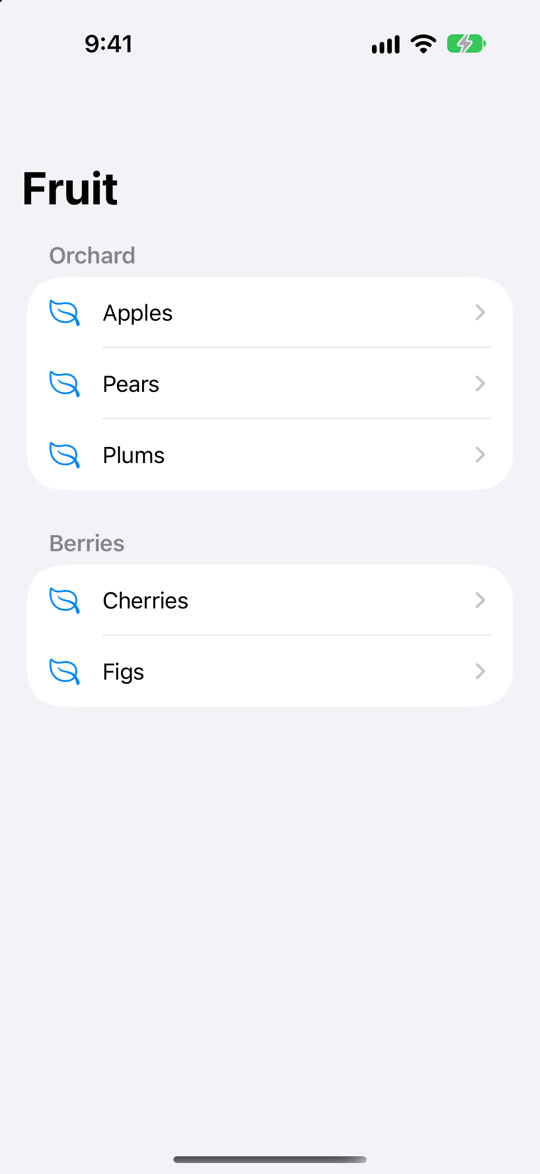
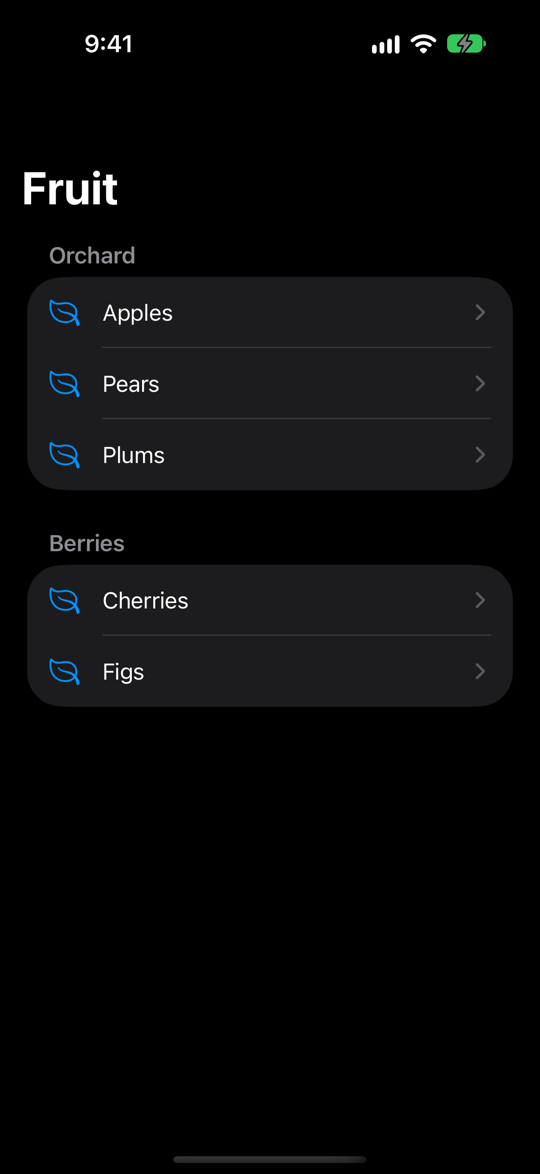
The title in the navigation bar. |
-style |
insetGrouped, grouped, plain |
insetGrouped |
The look of the sections. Only new sets it. |
-search |
boolean |
0 |
1 shows a search field: under the title, or at the bottom of the screen on iOS 27. Each change of its text runs the method search. |
-editing |
boolean |
0 |
1 shows a handle on each row that movable allows, and the user drags the row to another place. |
sections |
method |
|
Gives the number of sections. The default method gives 1. |
rows SECTION |
method |
|
Gives the number of rows of a section, from 0. The default method gives 0. |
title SECTION |
method |
|
Gives the title over a section. The default method gives an empty string: no title. |
cell SECTION ROW CELL |
method |
|
Fills a row with $CELL configure. UIKit reuses rows, so the method sets each option that the row shows. |
select SECTION ROW |
method |
|
Runs at a tap on a row. |
actions SECTION ROW |
method |
|
Gives the swipe actions of a row: a list of {LABEL ?STYLE?}. STYLE destructive is red, and each other style is gray. The first action is at the right edge. The default method gives an empty list: no swipe. |
swiped SECTION ROW LABEL |
method |
|
Runs at a tap on a swipe action, with its label. |
search TEXT |
method |
|
Runs at each change of the text of the search field. The method keeps the rows that match and calls reload. |
movable SECTION ROW |
method |
|
Gives 1 when the user can drag the row in the editing mode. The default method gives 0. |
move FROMSECTION FROMROW TOSECTION TOROW |
method |
|
Runs when the user drops a row at another place. The method moves the row in its data; UIKit has moved it on the screen. |
searchText |
method |
|
Gives the text of the search field. |
invokeSearch TEXT |
method |
|
Puts TEXT in the search field and runs search, as typing does. |
invokeMove FROMSECTION FROMROW TOSECTION TOROW |
method |
|
Runs move, as a drop does. |
closed |
method |
|
Runs when the screen leaves its navigation stack, before the screen is destroyed. |
reload |
method |
|
Asks the data source again for each row on the screen. |
invoke SECTION ROW |
method |
|
Runs select, as a tap on the row does. |
invokeAction SECTION ROW INDEX |
method |
|
Runs swiped for the swipe action INDEX of actions, as a tap on it does. |
push, pop, navigationStack |
method |
|
As for a screen. |
configure, cget, destroy |
method |
|
As for each object (ztk::ios). |
-text |
cell option |
empty |
The main text of the row. |
-detail |
cell option |
empty |
A second line of smaller text in a secondary color. |
-symbol |
cell option |
none |
A symbol of SF Symbols before the text, such as folder or star.fill. An empty string shows no symbol. |
-accessory |
cell option |
none |
The mark at the end of the row: none, disclosure (a chevron), checkmark, or detail. |
-indent |
cell option |
0 |
The level of indent, an integer. |