iOS
ztk runs a Tcl and Tk script as an app on an iPhone or an iPad, with iOS 18 or later. The app fills the screen, Metal draws it, and each widget works by touch. This section goes from the Simulator to an app on a device.
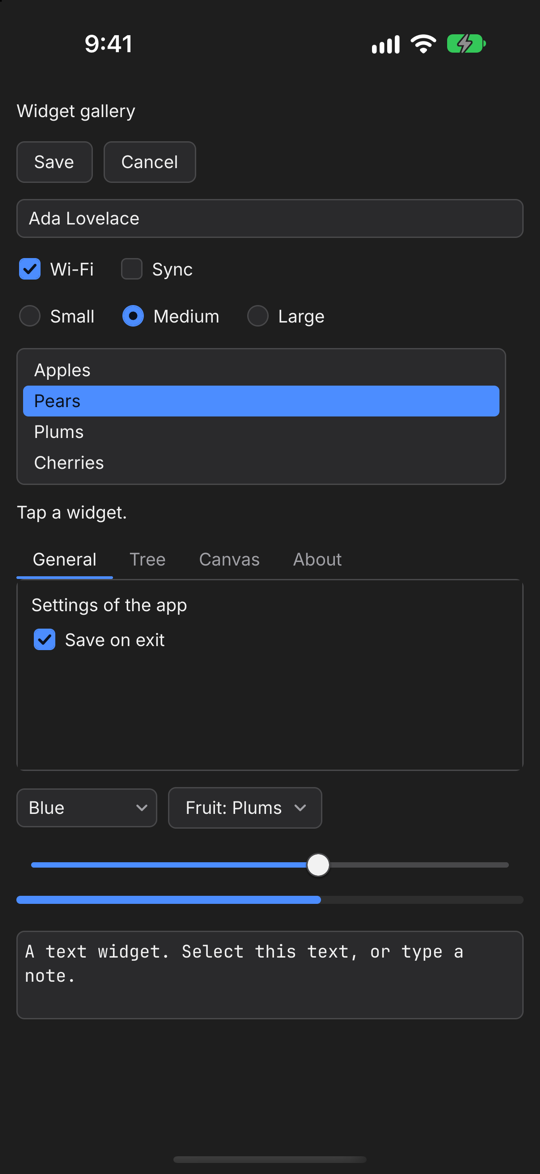
ztk --ios examples/platform-gallery.tcl.What a script gets on iOS
The same script runs on a desktop with ztk main.tcl and on a phone, so you can write and try it on the Mac first. On the phone:
- The window
.fills the screen, and the widgets stay inside the safe area withtk insets. - A tap is a click, and a drag is a drag of button 1.
- The soft keyboard opens when an entry or a text widget gets the focus.
- The theme follows the light and the dark mode of iOS, and the named fonts follow Dynamic Type.
Touch and the screen has the parts that iOS and Android share: touch, the soft keyboard, the insets, the size of text, and the life of the app.
What you need
Each step needs a Mac. The build of the iOS runtime needs the iOS SDK, the Simulator needs Xcode, and the signature of an app needs codesign of macOS.
| To | You need |
|---|---|
| Build ztk and its iOS runtime | A Mac, Zig 0.17.0, and Xcode for the iOS SDK |
| Run a script in the Simulator | Xcode with an iOS Simulator runtime |
| Make an app for an iPhone or an iPad | An Apple Development certificate in the keychain, and a development provisioning profile with an app ID that matches the id of the app |
| Install the app on a device | The device, with Developer Mode on, connected to the Mac |
The pages of this section
- Install: build ztk and the iOS runtime.
- Develop: run in the Simulator, see the output, make the app, and install it on a device.
- Widgets: the soft keyboard, the screen, landscape, and the iPad.
- Menus: menus by touch, and what replaces a menu bar.
- iOS features: the renderer, the files of the app, the life of the app, and
Info.plist. - Limits: what does not work on iOS.