ztk::ios::photos
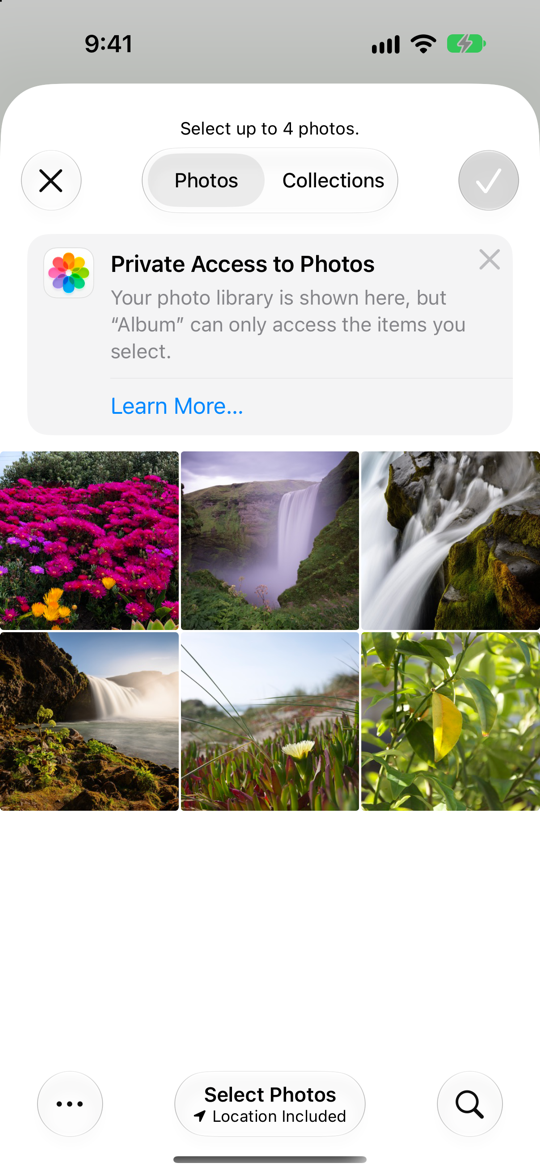
Shows the photo picker of iOS (PHPickerViewController) over the top screen of the window, and gives its object at once. The script gets copies of the photos and the videos that the user picks.
| Light | Dark |
|---|---|
 |
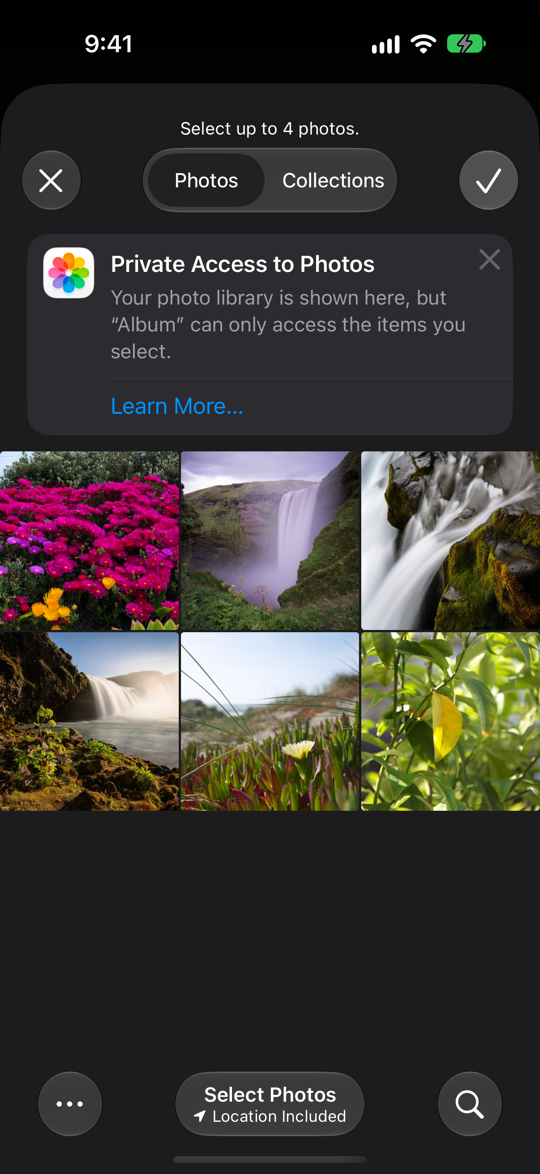 |
The pictures show examples/ios-photos.tcl.
Synopsis
ztk::ios::photos ?-limit COUNT? ?-filter images|videos|any? ?-format png|original? ?-command SCRIPT?
Arguments
| Name | Type | Default | Meaning |
|---|---|---|---|
-limit |
count | 1 |
The most items that the user can pick. 0 is no limit. |
-filter |
images, videos, any |
images |
The kind of items that the picker shows. |
-format |
png, original |
png |
The files of the photos. png writes each photo as PNG, which image create photo reads. original copies the file of iOS, such as a JPEG, for an upload or a copy with no change. |
-command |
script | empty | Runs at the global level when the picker closes, with the list of the paths of the picked files appended. The list is empty when the user cancels. |
invoke ?PATH ...? |
method | Closes the picker as a pick of the files PATH does, or as Cancel does with no path. The files go through the same copy. |
|
destroy |
method | Closes the picker. -command does not run. |
The picker runs in a process of iOS and shows the whole photo library, so the app needs no permission and no key in its Info.plist: it gets only the items that the user picks.
When the user picks, the picker closes, and iOS gives the data of each item. The app writes each item into the folder ztk-photos of the app data, with a new name, then runs -command and destroys the object:
- With
-format png, a photo is a PNG file.image create photoof ztk reads PNG, GIF, and PPM, as Tk does, and no JPEG. - With
-format original, a photo is a copy of its file, with its extension. The picker asks iOS for JPEG in place of HEIC. - A video is a copy of its file.
The paths are paths of the file commands: in an app of ztk bundle, /ztk-photos/NAME.png. An item that fails to load is not in the list.
The files stay until the script deletes them, so delete each one when the app no longer needs it.
Return value
The command gives the object of the picker. invoke gives an empty string.
Errors
| Error | When |
|---|---|
unknown option "-X": must be -command, -filter, -format, or -limit |
Another option. |
value for "-X" missing |
An option with no value. |
bad filter "FILTER": must be any, images, or videos |
-filter has another value. |
bad format "FORMAT": must be original or png |
-format has another value. |
expected a count but got "VALUE" |
-limit is no integer of 0 or more. |
no file "PATH" |
invoke with a path of no file. |
couldn't access "PATH": permission denied |
invoke with a path out of the root folder of the file commands. |
the picker has closed |
invoke after the user picked. |
Platforms
| Platform | Works |
|---|---|
| Windows | No |
| macOS | No |
| Linux, Wayland | No |
| Linux, X11 | No |
| Web | No |
| iOS | Yes |
| Android | No: bad kind "photos" |
| Headless | No: the namespace does not exist. |
Example
ztk::ios::photos -limit 4 -command {apply {{files} {
    foreach f $files { puts "[file tail $f]: [file size $f] bytes" }
}}}