Dashboards and small tools
Build a window for a job that you do each day: follow a log, sum a CSV file, watch a value. One script of a few hundred lines gives a native window with charts, tables, and filters.
This page shows two prototypes. Each one is one script in this repository.
A live log dashboard
The dashboard follows a log file, as tail -f does. It counts the lines of each level, draws the last 60 seconds as stacked bars, and shows the lines that pass the filters.
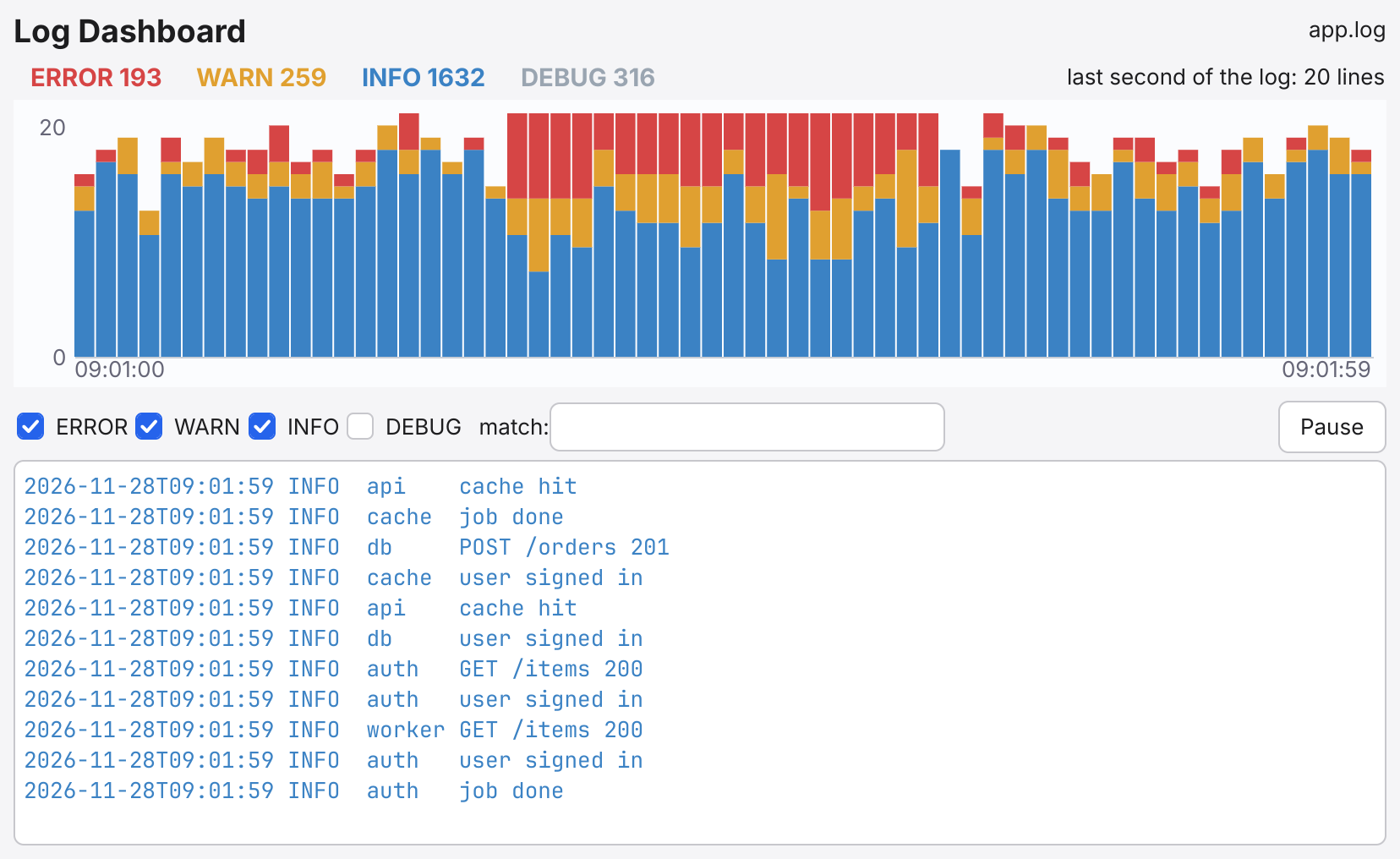
A timer reads the new lines each 250 ms with a non-blocking gets. A file that gets shorter is a new file, and the dashboard reads it from the start (the code):
proc read_new {} {
    if {[file exists $::path] && [file size $::path] < $::offset} {
        # The file got shorter: a rotation. Read the new file.
        close $::chan
        open_log
        incr ::rotations
    }
    ...
    while {[gets $::chan line] >= 0} {
        incr ::offset [expr {[string length $line] + 1}]
        set lv [add_line $line]
        ...
The chart is a canvas with one rectangle for each level of each second. The counts use the times in the log, so a file gives the same chart in each run.
cd examples/usecases/log-dashboard
ztk --headless --root . gen-log.tcl app.log -burst 2400
ztk --root . app.tcl app.log
gen-log.tcl writes a demo log. With --root ., the dashboard reads only the folder of the log.
A CSV report with a drop target
Drop a CSV file of a bank on the window. The window shows the spending of each category as bars and the sum of each month in a table.
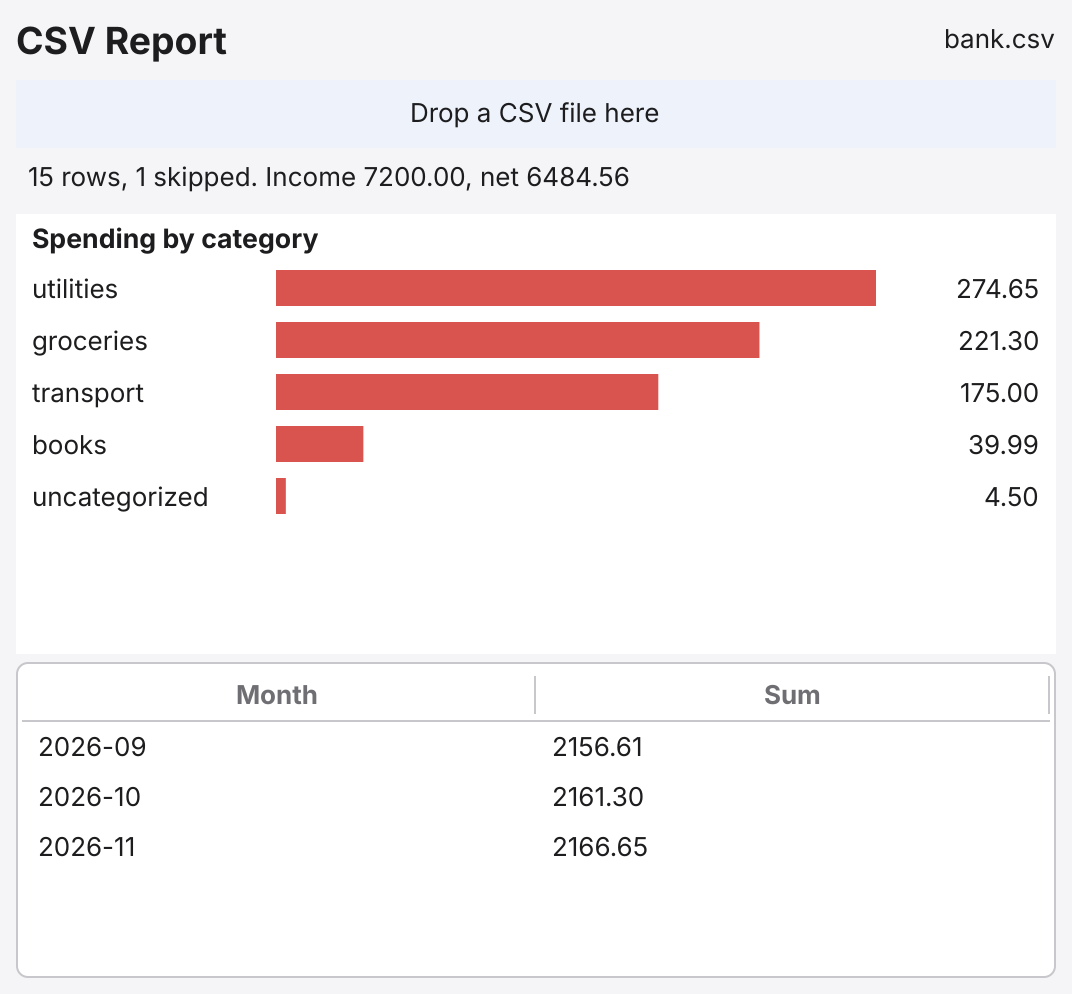
The drop area is a target of tkdnd, so a drop from a file manager calls load_file (the code):
tkdnd::drop_target register .drop DND_Files
bind .drop <<Drop:DND_Files>> {load_file [lindex %D 0]}
csvlib.tcl parses the CSV text, with quotes, commas, and newlines in fields. It keeps the sums in cents as integers, so the sums are exact.
cd examples/usecases/csv-window
ztk csv-window.tcl sample/bank.csv
Real today
Both are prototypes. The log comes from a generator, and sample/bank.csv has made-up data. For a real log or a real bank file, change the regular expression of add_line or the column names of report::build.
Links
- The examples: log-dashboard and csv-window.
tests/usecases.shruns them. - Canvas, Text, and Tree: the widgets of the two windows.
- Drag and drop: drops from other apps.
- Personal tools on the ztcl site: the command line form of the CSV report.