Widgets on iOS
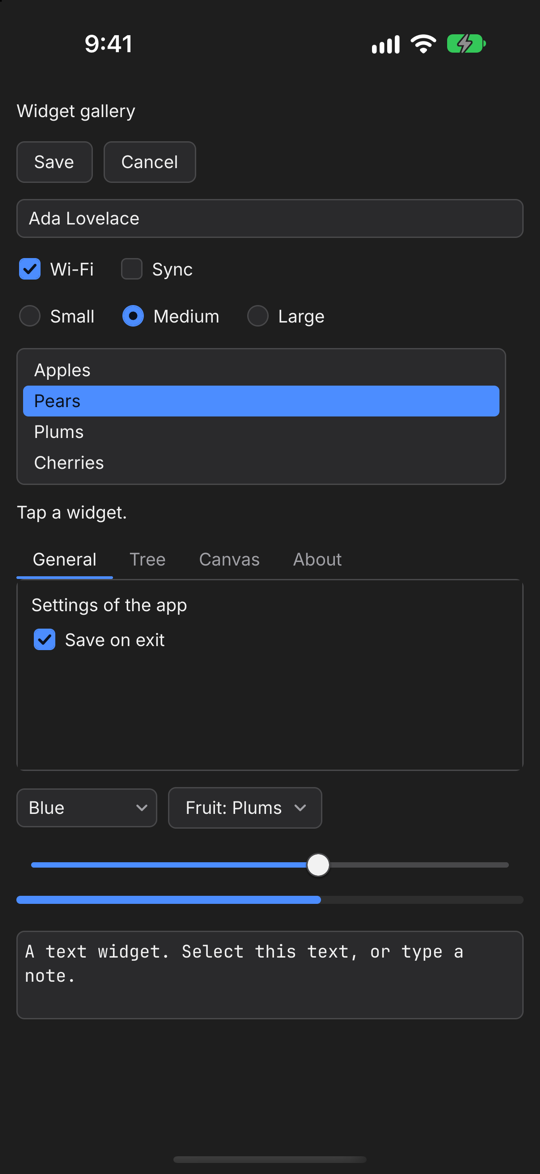
The widgets of Tk and ttk work by touch on iOS with no change to a script. This page shows the soft keyboard, the screen in both orientations, and the iPad. Touch and the screen has the touch events, the insets, and the size of text, which iOS and Android share.
Touch
A tap is a click: it invokes a button, toggles a check button, selects a row, and opens a menu. A drag in a text widget, a listbox, a treeview, or a canvas with a -scrollregion scrolls its view, and the view glides on after a fast lift. A long press is button 3, and two fingers give the pinch events (Touch).


The soft keyboard
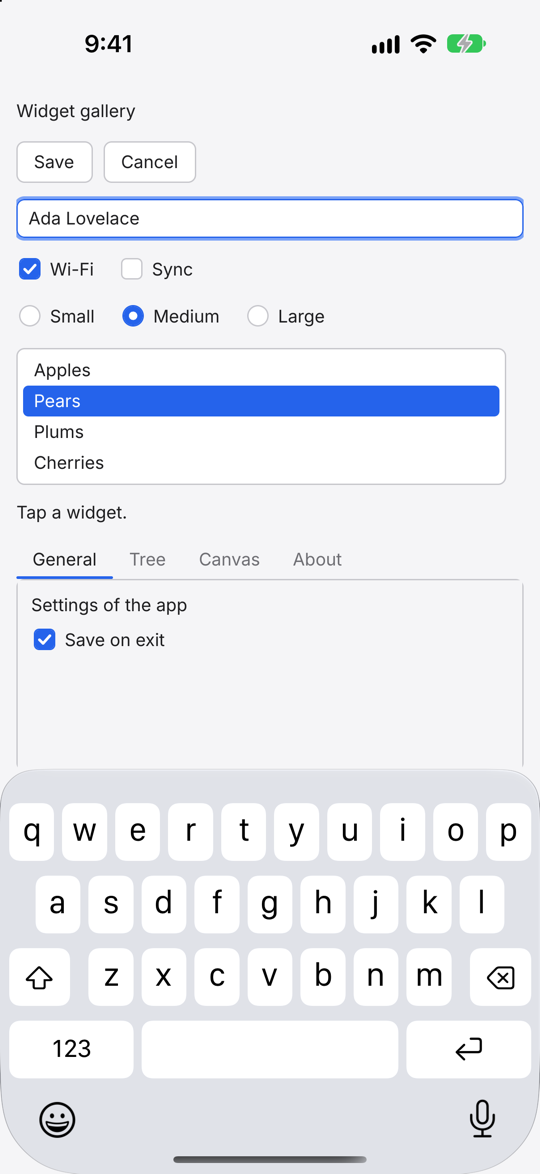
The keyboard opens when an entry, a spinbox, a combobox, or a text widget gets the focus, and it closes when the focus goes to a widget of another kind. It types its text into the widget, also accented letters and the letters of other scripts. Its Delete key is the key BackSpace, and Return is the key Return.
ttk::entry .e
pack .e -padx 20 -pady 20
bind .e <Return> {focus .}
keyboard value of tk insets.The screen
The app runs in the four orientations. tk insets has the status bar, the Dynamic Island, and the bar of the home gesture, from the safe area of iOS. In landscape the Dynamic Island is at a side, and tk insets gives it as left or right.
wm attributes . -orientation landscape

wm attributes . -orientation landscape at the end of the script.The size of text of Dynamic Type scales the named fonts, such as TkDefaultFont (The size of text). The text is in the fonts of ztk: TkDefaultFont is Inter, and TkFixedFont is JetBrains Mono.
The iPad
On an iPad the app fills the screen. The window of the gallery is 1032 points wide in portrait, so it has two columns:
zig-out/bin/ztk --ios --device "iPad Pro 13-inch (M5)" examples/platform-gallery.tcl

The next page, Menus, shows the menus on iOS.