Menus on Linux
On Linux ztk draws each menu itself, in the look of the theme. This page shows the menu bar in the window, the keys of the menus, and the menus that open at the pointer.
The menu bar
Give a toplevel a menu bar with -menu, as in Tk. On Linux the bar is a row at the top of the window, as in Tk on X11, and the content of the window goes below it:
menu .bar
. configure -menu .bar
menu .bar.file -tearoff 0
.bar add cascade -label File -menu .bar.file -underline 0
.bar.file add command -label "New" -accelerator Ctrl+N -command newDoc
.bar.file add command -label "Open..." -accelerator Ctrl+O -command openDoc
.bar.file add separator
.bar.file add command -label "Quit" -accelerator Ctrl+Q -command exit
proc newDoc {} {puts new}
proc openDoc {} {puts open}
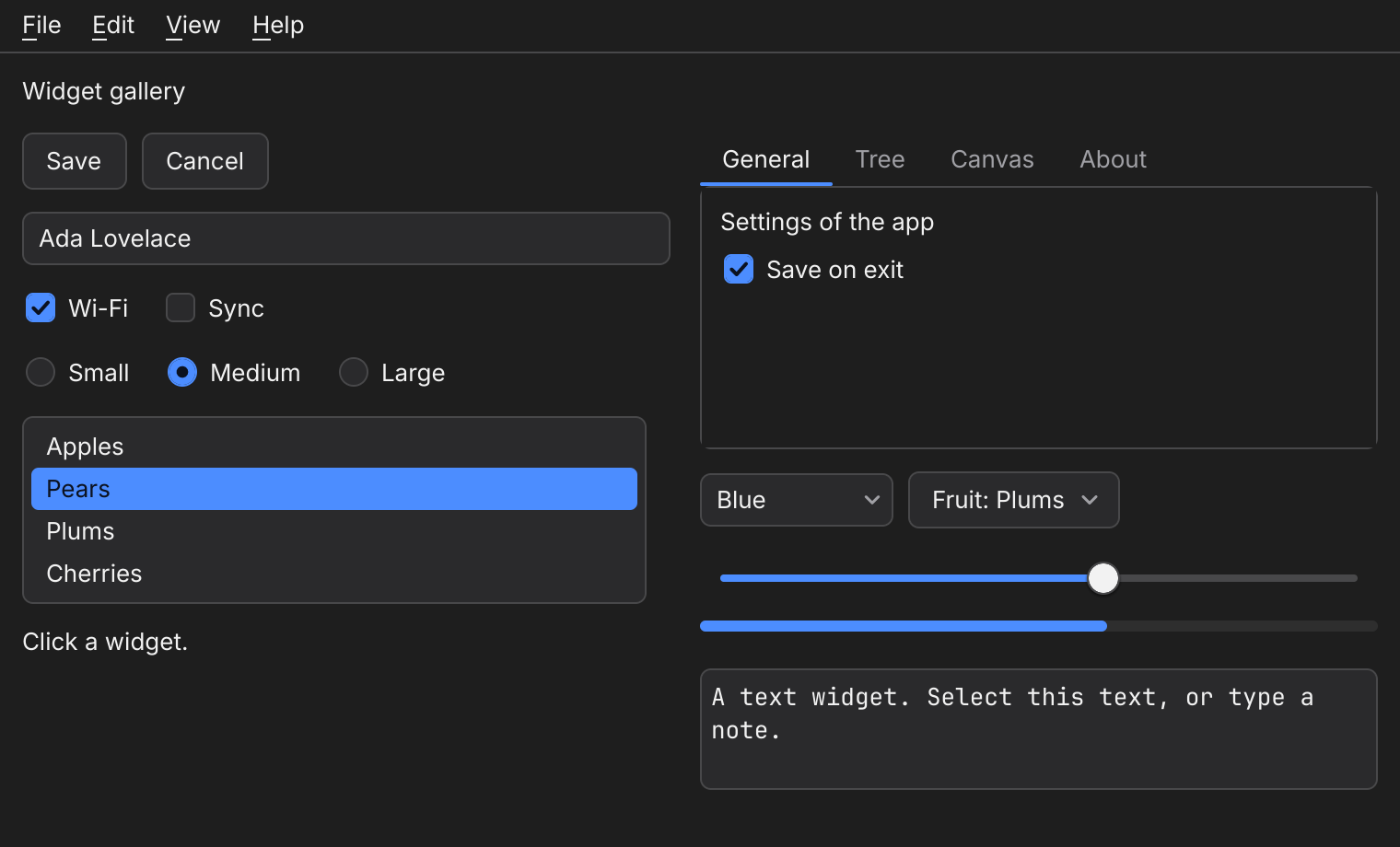
Open a menu with the keys
F10 opens the first menu of the bar. Alt with the letter of -underline opens the menu with that letter, so Alt-F opens File in the script above. In an open menu, the arrow keys move, Return or Space chooses the entry, a letter chooses the entry with that -underline letter, and Escape closes the menu.
Keys of the menu items
-accelerator is the text that the menu shows next to the label. As in Tk, a binding of the script runs the command for the key:
bind all <Control-n> newDoc
bind all <Control-o> openDoc
bind all <Control-q> exit
Write the accelerator as Linux and Windows apps write it: Ctrl+N, Ctrl+Shift+S, Alt+F4, F5. On macOS a script writes Command-N and binds <Command-n>; Keys of the menu items has one script for both.
Check and radio items, cascades, and state
Each kind of entry of Tk works: command, checkbutton, radiobutton, cascade, separator, and the tear-off entry. A -state disabled entry is gray. The menus show the label and the accelerator of an entry, and they do not show its -image.
menu .bar
. configure -menu .bar
menu .bar.view -tearoff 0
.bar add cascade -label View -menu .bar.view -underline 0
.bar.view add checkbutton -label "Show Sidebar" -variable sidebar
.bar.view add separator
.bar.view add radiobutton -label "Small" -variable size -value small
.bar.view add radiobutton -label "Large" -variable size -value large
menu .bar.view.sort -tearoff 0
.bar.view add cascade -label "Sort By" -menu .bar.view.sort
.bar.view.sort add command -label Name
.bar.view.sort add command -label Date -state disabled
set sidebar 1
set size small
-postcommand runs before the menu opens, and a change of the active entry sends <<MenuSelect>>. A menu with -tearoff 1 has the tear-off entry at index 0.
Context menus
tk_popup opens a menu at the pointer. Bind it to button 3, the right button:
menu .ctx -tearoff 0
.ctx add command -label Cut -command {puts cut}
.ctx add command -label Copy -command {puts copy}
.ctx add command -label Paste -command {puts paste}
text .t -width 40 -height 6
pack .t -padx 10 -pady 10
bind .t <Button-3> {tk_popup .ctx %X %Y}
On Wayland each open menu and each cascade is a popup surface of the compositor, so a menu can go past the edge of the window. The compositor flips a cascade to the left and slides a menu when the screen has no room. On X11 a menu stays inside the window.
The menu of a menubutton, a ttk::menubutton, and tk_optionMenu is the same kind of menu.

ztk examples/platform-gallery.tcl menu=1.The menu of a tray icon
The -menu of ztk::tray is a native menu of the panel, as on macOS and Windows. The panel draws it in its own style, and ztk does not draw it. The menu has the labels, the accelerators, the check and radio entries, the separators, and the cascades of the menu widget. It does not show the -image of an entry or a -columnbreak. Linux features shows the script.
The next page, Linux features, shows the parts of a Linux desktop that a script reaches.