ztk::ios::TextView
Makes a text of many lines that the user edits (UITextView), which grows with its text.
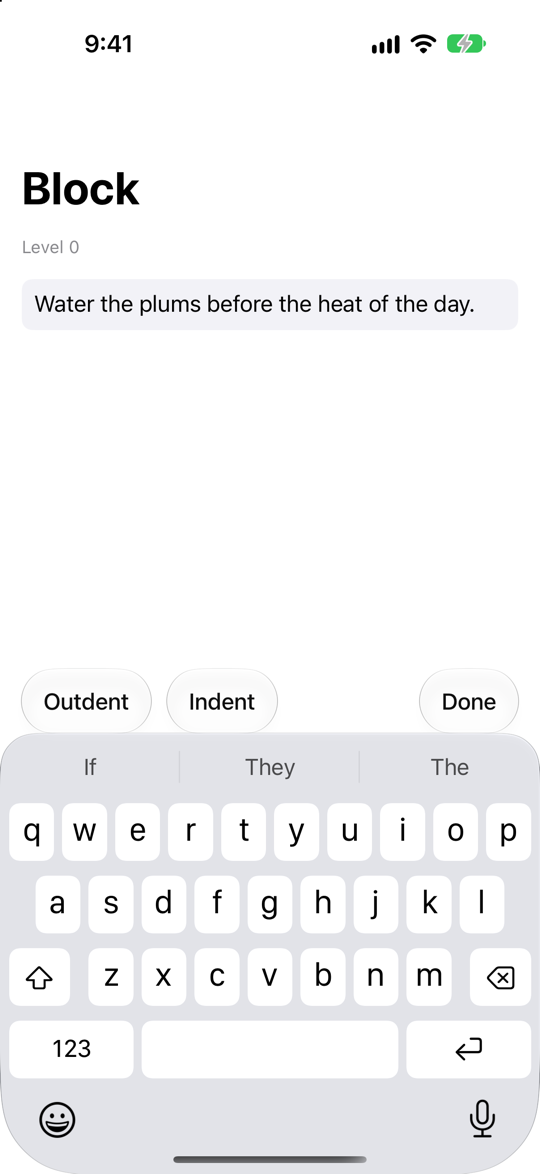
| Light | Dark |
|---|---|
 |
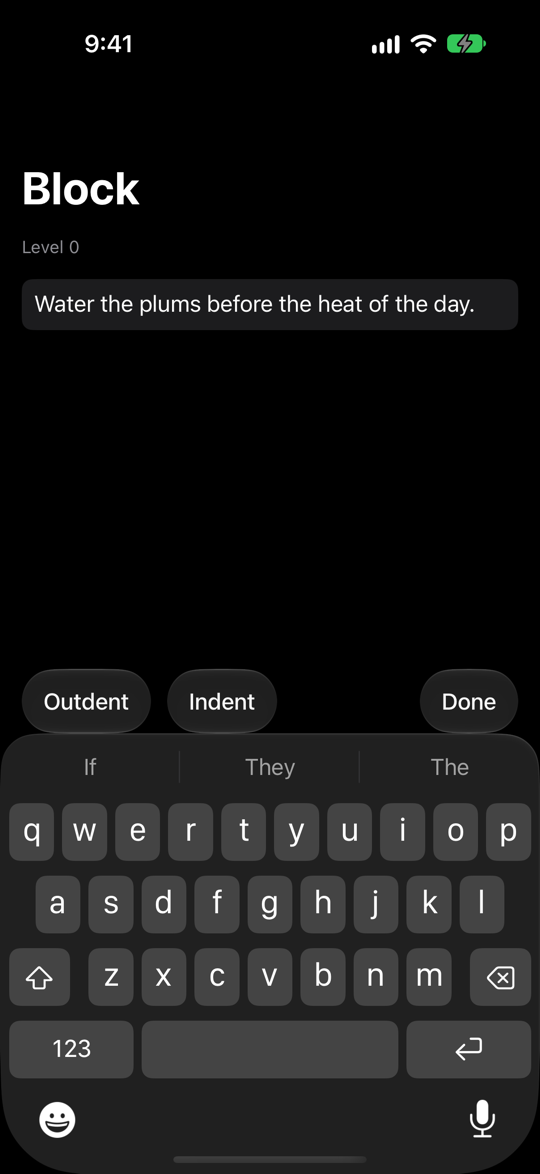 |
The pictures show examples/ios-note.tcl, the edit of one block of an outline.
Synopsis
ztk::ios::TextView new ?OPTION VALUE ...?
$screen add textview ?OPTION VALUE ...?
Arguments
| Name | Type | Default | Meaning |
|---|---|---|---|
-text |
text | empty | The text. cget -text gives the text that the user typed. |
-font |
text style | body |
The text style of Dynamic Type, as for a label. |
-editable |
boolean | 1 | 0 shows the text with no keyboard, and the user can select and copy it. |
-changecommand |
script | empty | Runs at the global level at each change of the text by the user, with the text view appended. |
-accessory |
list | empty | The labels of a row of buttons over the soft keyboard, such as {Outdent Indent Done}. The last button is at the right edge. An empty list shows no row. |
-accessorycommand |
script | empty | Runs at the global level at a tap on a button of the row, with the text view and the label appended. The keyboard stays open. |
focus |
method | Gives the keyboard focus to the text view, and the keyboard opens. | |
blur |
method | Takes the keyboard focus from the text view, and the keyboard closes. | |
tapAccessory INDEX |
method | Runs -accessorycommand for the button INDEX of the row, as a tap does. |
|
-hidden, -accessibilityLabel, -accessibilityHint |
option | As for each view (ztk::ios). |
|
configure, cget, destroy |
method | As for each object (ztk::ios). |
The text view has no scrolling of its own: the column of its screen scrolls.
Return value
new gives the object. focus, blur, and tapAccessory give an empty string.
Errors
| Error | When |
|---|---|
bad font "X": must be ... |
-font names no text style. |
expected boolean value but got "X" |
-editable is no boolean. |
unknown option "-X": must be ... |
Another option. |
Platforms
| Platform | Works |
|---|---|
| Windows | No |
| macOS | No |
| Linux, Wayland | No |
| Linux, X11 | No |
| Web | No |
| iOS | Yes |
| Android | Yes, as ztk::android::TextView. |
| Headless | No: the namespace does not exist. |
Example
set screen [ztk::ios::Screen new -title Note]
set view [$screen add textview -text "A note" -accessory {Indent Done} \
    -accessorycommand {apply {{view label} {if {$label eq "Done"} {$view blur}}}}]
ztk::ios::app root [ztk::ios::NavigationStack new $screen]
$view focus