Linux
ztk runs a Tk script in a window of a Linux desktop, on Wayland and on X11, on x86-64 and arm64. The ztk program is one static file: it links no library, so it runs on each distribution with no package of Tk, X, or GTK. This section goes from the install to an app with an entry in the menu of the desktop.
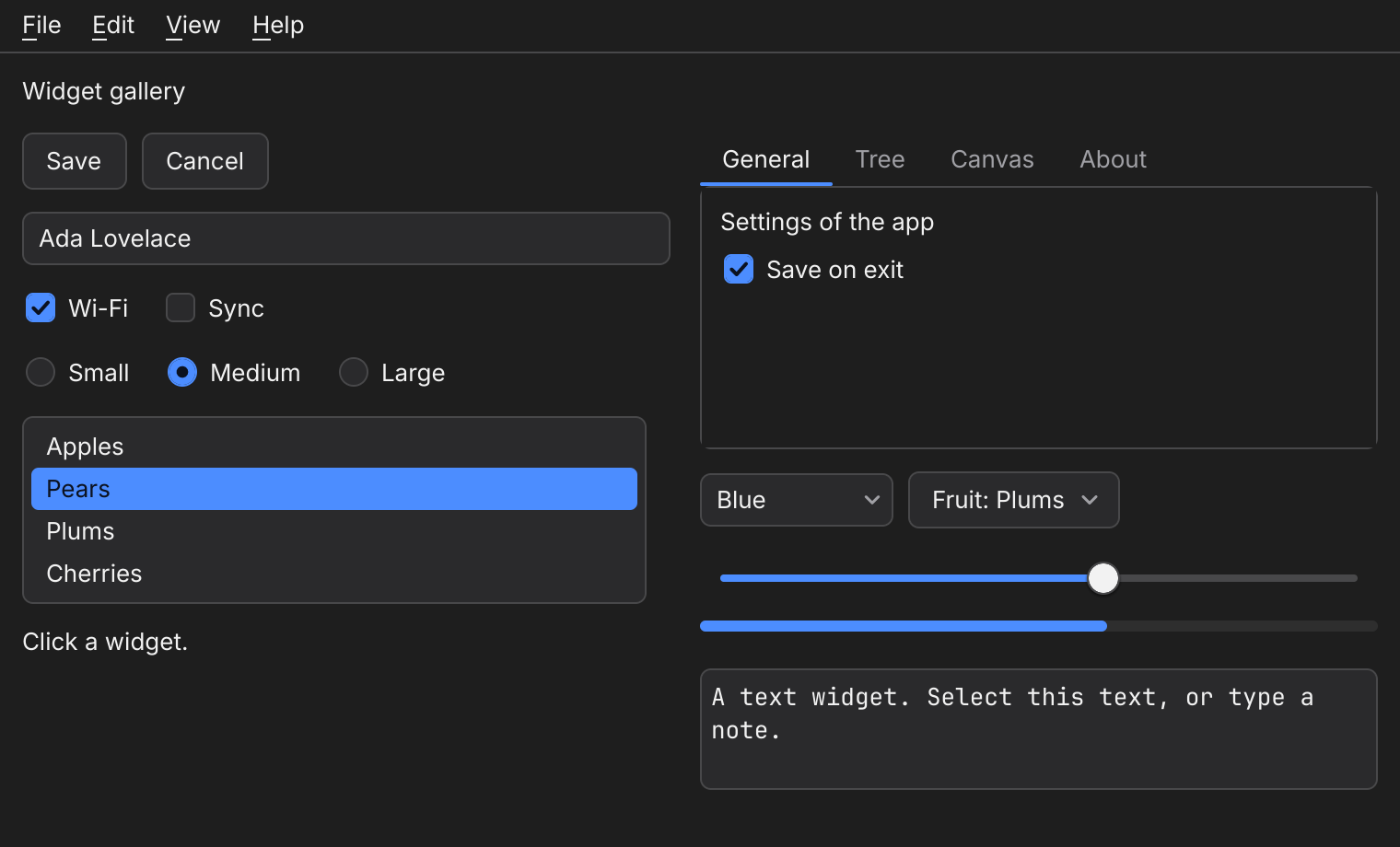
ztk examples/platform-gallery.tcl. The picture is a render of ztk --headless, with no frame of the compositor.What a script gets on Linux
ztk has its own client of the Wayland protocol and its own client of X11. In a Wayland session each toplevel is a Wayland window, Vulkan draws it when the GPU and the compositor share buffers, and the CPU renderer draws it in the other cases. Under X11, each toplevel is an X window, and the CPU renderer draws it.
ztk draws the widgets, the menus, and the text itself, with the modern theme and its own fonts, Inter and JetBrains Mono. So a window looks the same on GNOME, KDE, sway, and each other desktop.
ztk --dark examples/platform-gallery.tcl.The desktop gives these parts:
- The file dialogs of the desktop, through the portal of the desktop.
- An icon in the tray of the panel.
- Drags of files and text to and from other apps.
- The icon of the window, and an entry in the menu of the desktop for a bundled app.
- The frame of the window. On GNOME and weston, which draw no frame for an app, ztk draws a title bar.
Linux features shows each one with a script.
From a script to an app
# Or the release archive:
brew install beetlebugorg/tap/ztk
# A window:
ztk hello.tcl
# One program file and a desktop entry:
ztk bundle -o hello --desktop hello.tcl
hello.tcl can be one line:
ttk::button .b -text "Hello, Linux" -command exit; pack .b -padx 40 -pady 30
The pages of this section
- Install: Homebrew, the release archive, or a build from source.
- Develop: run, debug, test, and make an app with a desktop entry.
- Widgets: the look, the scale, the keys, and the text on Linux.
- Menus: the menu bar in the window, the keys, and the context menus.
- Linux features: Wayland and X11, the title bar on GNOME and weston, the tray, the portal dialogs, drags, and the display of a device with no desktop.
- Limits: what does not work on Linux.