Skate Pond 4: The bag
In this step you put a widget beside the canvas: the bag, a listbox of the items that the skater picks up. You learn the subcommands of a listbox, the event <<ListboxSelect>>, a style for a widget, and a layout that changes with the shape of the window.
A game can use widgets
A game does not have to draw each thing on its canvas. Skate Pond draws the pond on a canvas, and puts labels and a listbox in a frame beside it (the code). The listbox gives the game a selection, a click, the keys, and a scroll with no code of its own.
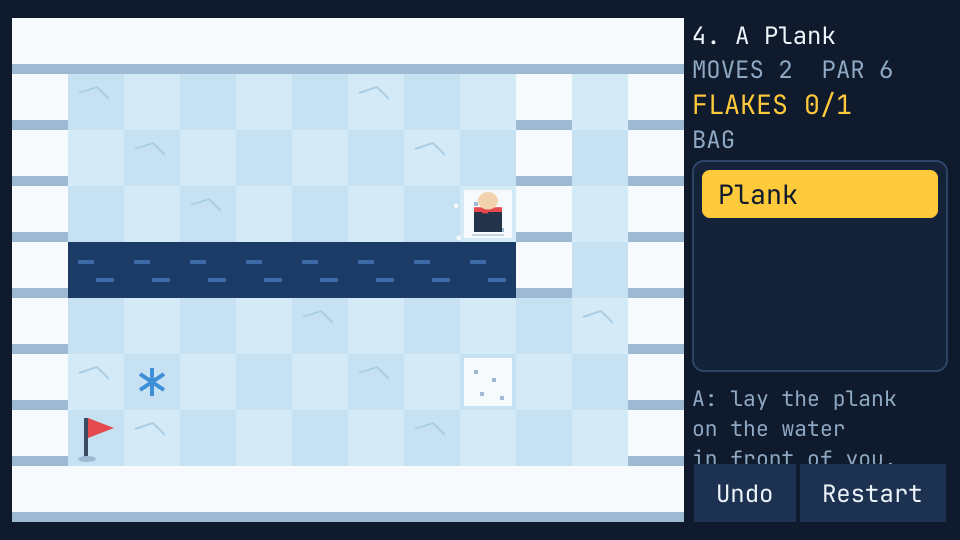
Fill the listbox
When the skater crosses a plank or a pick, the proc crossed adds it to the bag (the code):
.side.bag insert end $name
.side.bag itemconfigure end -foreground [expr {$c eq "P" ? "#e0a86a" : "#b8c6d8"}]
.side.bag selection clear 0 end
.side.bag selection set end
.side.bag see end
insert endadds a row at the end.itemconfigure end -foregroundgives that one row its own color: brown for a plank, gray for a pick.selection set endselects the new item, so A uses it at once.see endscrolls the list, so the new row is in view.
The snippet has the bag, its hint, and the layout of the game. Click an item, and the hint changes.
# The bag: a listbox beside the pond. Click an item to select it.
ztk::style add {
    Listbox { background-color: #14233a; color: #eef5fb; border: 1px solid #2c4566; border-radius: 6px; }
}
. configure -background #0f1b2d
canvas .c -width 196 -height 168 -background #d4ebf7 -highlightthickness 0
# A plank and a pick on the ice, as the game draws them.
.c create rectangle 33 39 51 45 -fill #a8743c -outline #6e4a22
.c create line 126 92 126 106 -fill #6e4a22 -width 3
.c create line 118 94 126 91 134 94 -fill #5c6b7e -width 3
frame .side -background #0f1b2d
label .side.bagT -text BAG -background #0f1b2d -foreground #8fa9c4 -font {TkFixedFont 9 bold} -anchor w
listbox .side.bag -height 4 -width 12 -activestyle none -font {TkFixedFont 10 bold} -exportselection 0 \
    -selectbackground #ffc93c -selectforeground #0f1b2d -highlightthickness 0
label .side.hint -background #0f1b2d -foreground #8fa9c4 -font {TkFixedFont 8} -anchor nw -justify left
pack .side.bagT -fill x
pack .side.bag -fill x -pady {2 6}
pack .side.hint -fill both -expand 1
# The side panel goes right of the pond, or under it in a tall window.
proc layout {} {
    set tall [expr {[winfo height .] > [winfo width .] * 1.15}]
    if {[info exists ::tall] && $::tall == $tall} return
    set ::tall $tall
    if {$tall} {
        pack .c -side top -padx 6 -pady {9 4}
        pack .side -side top -fill both -expand 1 -pady {0 9} -padx 6
    } else {
        pack .c -side left -padx {6 4} -pady 9
        pack .side -side left -fill both -expand 1 -pady 9 -padx {0 6}
    }
}
layout
bind . <Configure> {+if {"%W" eq "."} layout}
# An item goes into the bag: its name, its color, and the selection.
proc pickUp {c} {
    .side.bag insert end [expr {$c eq "P" ? "Plank" : "Pick"}]
    .side.bag itemconfigure end -foreground [expr {$c eq "P" ? "#e0a86a" : "#b8c6d8"}]
    .side.bag selection clear 0 end
    .side.bag selection set end
    .side.bag see end
    hint
}
# The hint under the bag follows the selection.
proc hint {} {
    set i [.side.bag curselection]
    if {$i eq ""} { .side.hint configure -text "Arrows: push"; return }
    set item [.side.bag get $i]
    .side.hint configure -text [expr {$item eq "Plank" ? "A: lay the plank\non the water\nin front of you." : "A: break the rock\nin front of you."}]
}
bind .side.bag <<ListboxSelect>> hint
pickUp P
pickUp K

React to a click
A listbox sends the virtual event <<ListboxSelect>> when the user changes the selection. The game binds it to hint, and hint reads curselection and get to write the line under the bag (the code). A change from the code, such as selection set, sends no event, so the code calls hint itself.
-exportselection 0 keeps the selection of the bag apart from the selection of text in other widgets. -activestyle none draws no line under the active row.
A style for the listbox
ztk draws widgets with CSS styles. ztk::style add gives the bag the dark colors of the game:
ztk::style add {
    Listbox { background-color: #14233a; color: #eef5fb; border: 1px solid #2c4566; border-radius: 6px; }
}
Styling and themes has the names and the properties. The options of Tk, such as -selectbackground, work too.
A layout for a wide and a tall window
On a phone held upright, the window is taller than wide, and a panel beside the pond leaves the pond small. The proc layout packs the panel beside the pond in a wide window and under it in a tall one (the code). <Configure> comes when the size of a widget changes, so the game calls layout again at each new size:
bind . <Configure> {+if {"%W" eq "."} layout}
- The
+adds the script to the bindings of.and keeps the others, such as the binding of a host. - A
<Configure>of.also comes for each child widget, so the test"%W" eq "."keeps only the event of the main window. layoutreturns at once when the shape stays the same. So a resize that keeps the shape runs no newpack.
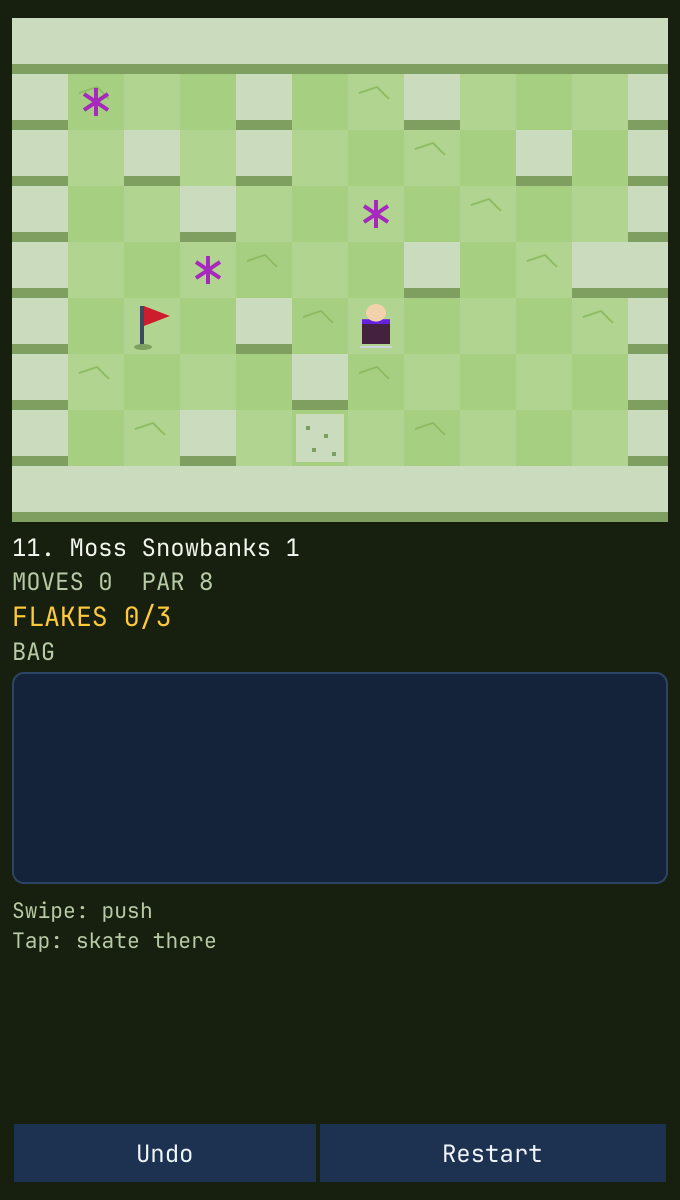
Undo and Restart under the bag are labels with a binding of <ButtonPress-1>. They call toy_input b press and toy_input start press, as the keys do.
Next: 5. Screens.